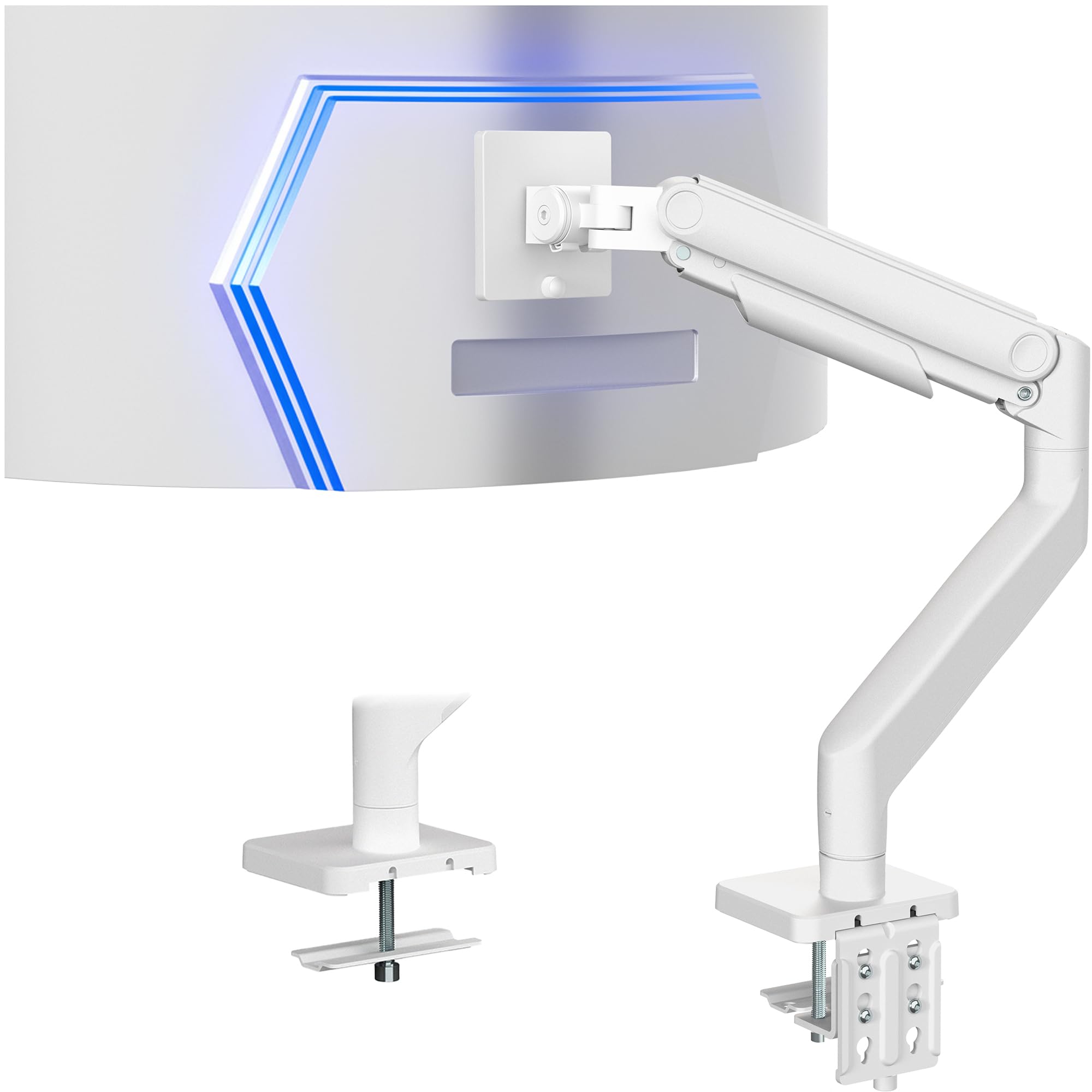
The VIVO Aluminum Ultrawide Monitor Tension Arm is designed for a single large display, with spring-assisted positioning and a desk clamp for an adjustable setup.
This VIVO Aluminum Ultrawide Monitor Tension Arm review focuses on its fit range, movement, installation requirements, and the checks to make before buying.
VIVO Tension Arm Review Summary
The quick verdict
2,000+ ratings
Read Amazon ReviewsVIVO Aluminum Ultrawide Monitor Tension Arm
A desk-clamped spring-assist arm for owners of large ultrawide monitors who want flexible positioning and a less cluttered workstation.
- Designed for one ultrawide monitor up to 49 inches and 44 pounds.
- Fits 75 × 75 mm or 100 × 100 mm VESA mounting patterns.
- Spring-assist arm is designed to counterbalance the screen for height adjustment.
- Provides +50° to -20° tilt, 180° swivel, 360° rotation, and 11 inches of height adjustment.

Pros
- Supports a large monitor size and weight range for a single-screen arm.
- Spring assistance is designed to make screen repositioning more convenient.
Consider before buying
- Desk thickness limits differ between the C-clamp and optional grommet mount, so the desk needs to be measured before choosing an installation method.
- The arm is intended for one display; it does not provide a second monitor position.
Read the full review summary
The arm’s standout appeal is its combination of a 49-inch screen limit, 44-pound capacity, and spring-assisted adjustment.
It accommodates monitors with either 75 × 75 mm or 100 × 100 mm VESA patterns, and the detachable VESA plate is intended to make mounting the screen more manageable.
The setup also includes cable-management covers to keep cords guided along the arm during repositioning.
This is a specialized option for someone replacing a monitor’s original stand with a desk-mounted arm, especially when the display is large and needs frequent repositioning.
Its tilt, swivel, rotation, and 11 inches of height adjustment offer useful flexibility, but buyers should first verify monitor weight, VESA pattern, desk thickness, and clearance around the clamp.
The listed three-year warranty adds a defined coverage period, though warranty terms should be reviewed before purchase.
The buying factors
VIVO Tension Arm Scorecard
Editorial scores reflect listed features and buyer fit; they are not laboratory measurements or customer ratings.
Large-screen fit
Supports screens up to 49 inches, making it suitable for many large ultrawides within its weight and VESA limits.
Weight capacity
The 44-pound maximum gives it a substantial capacity for a single monitor, provided the complete display stays within the limit.
Positioning range
Tilt, swivel, rotation, and 11 inches of height adjustment cover several common viewing adjustments.
Adjustment convenience
The spring-assist design is intended to counterbalance the monitor for hand-adjusted positioning.
Desk compatibility
It supports a C-clamp on desks up to 3.2 inches thick, with an optional grommet mount for desks up to 1.4 inches thick.
Cable organization
Integrated covers help guide cords along the arm as the screen is repositioned.
Key Features and Specifications of VIVO Tension Arm
- Designed for one ultrawide monitor up to 49 inches and 44 pounds.
- Fits 75 × 75 mm or 100 × 100 mm VESA mounting patterns.
- Spring-assist arm is designed to counterbalance the screen for height adjustment.
- Provides +50° to -20° tilt, 180° swivel, 360° rotation, and 11 inches of height adjustment.
- Attaches with a heavy-duty C-clamp to desks up to 3.2 inches thick; an optional grommet mount supports desks up to 1.4 inches thick.
- Cable-management covers guide cords along the arm, and the detachable VESA plate is designed to simplify monitor mounting.
- Includes assembly instructions and hardware, with a listed three-year warranty.
Pros and Cons of VIVO Tension Arm
Pros
- Supports a large monitor size and weight range for a single-screen arm.
- Spring assistance is designed to make screen repositioning more convenient.
- Offers multiple movement directions and a useful 11-inch height-adjustment range.
- Includes both clamp and optional grommet mounting approaches, subject to desk dimensions.
- Cable covers and a detachable VESA plate address practical setup details.
Consider before buying
- Desk thickness limits differ between the C-clamp and optional grommet mount, so the desk needs to be measured before choosing an installation method.
- The arm is intended for one display; it does not provide a second monitor position.
- The monitor must meet the arm’s weight and VESA limits, and buyers should confirm both before installation.
Who Should Buy VIVO Tension Arm?
Good fit
Consider this arm if you have a single ultrawide monitor within the 49-inch and 44-pound limits and want to move it between working positions.
The spring-assist design, broad rotation, and 11 inches of height adjustment make the feature set relevant for desks where the display’s position changes during the day.
Before ordering, check the monitor’s actual weight, including any components that remain attached during mounting, and confirm its VESA pattern.
Measure the desk where the clamp will sit; if you plan to use the optional grommet mount, verify that the desk surface fits its separate thickness limit and has a suitable mounting hole.
The cable covers and detachable VESA plate are useful practical touches for installation and a tidier setup.
Review the warranty terms and assembly instructions as part of your decision, particularly if you have a display close to the arm’s stated maximums.
Who should skip it
Skip this model if your setup needs support for two monitors or if your display exceeds the stated screen size, weight, or VESA limits. Choose an arm whose compatibility details explicitly match your monitor.
Look elsewhere if your desk cannot accommodate either the C-clamp or the optional grommet mount within its specified thickness range. Confirm the mounting area and available clearance before committing to a desk-mounted arm.
How the VIVO Tension Arm Fits a Large Ultrawide Setup
Check the monitor before choosing the arm
Screen size alone does not determine fit. The display also needs to weigh no more than 44 pounds and use a 75 × 75 mm or 100 × 100 mm VESA pattern.
Checking those details on the monitor itself helps avoid choosing a mount based only on its diagonal measurement.
Match the mount to the desk
The included heavy-duty C-clamp is specified for desks up to 3.2 inches thick.
The optional grommet method has a lower thickness limit of 1.4 inches, so measure the intended attachment point and consider whether the desk has a usable opening before deciding which method fits.
Use the movement range for your viewing needs
The arm combines tilt, swivel, full rotation, and 11 inches of height adjustment. That range can help users change screen angle or orientation and fine-tune height, while spring assistance is designed to help counterbalance the monitor during adjustments.
Plan for cables and installation
Cable-management covers guide cords along the arm as the monitor moves, while the detachable VESA plate is intended to ease the mounting step.
Check cable slack and connector reach for the positions you expect to use, and follow the supplied assembly instructions.
Alternatives to VIVO Tension Arm
Computer Monitor Arms alternative
20,000+ ratings
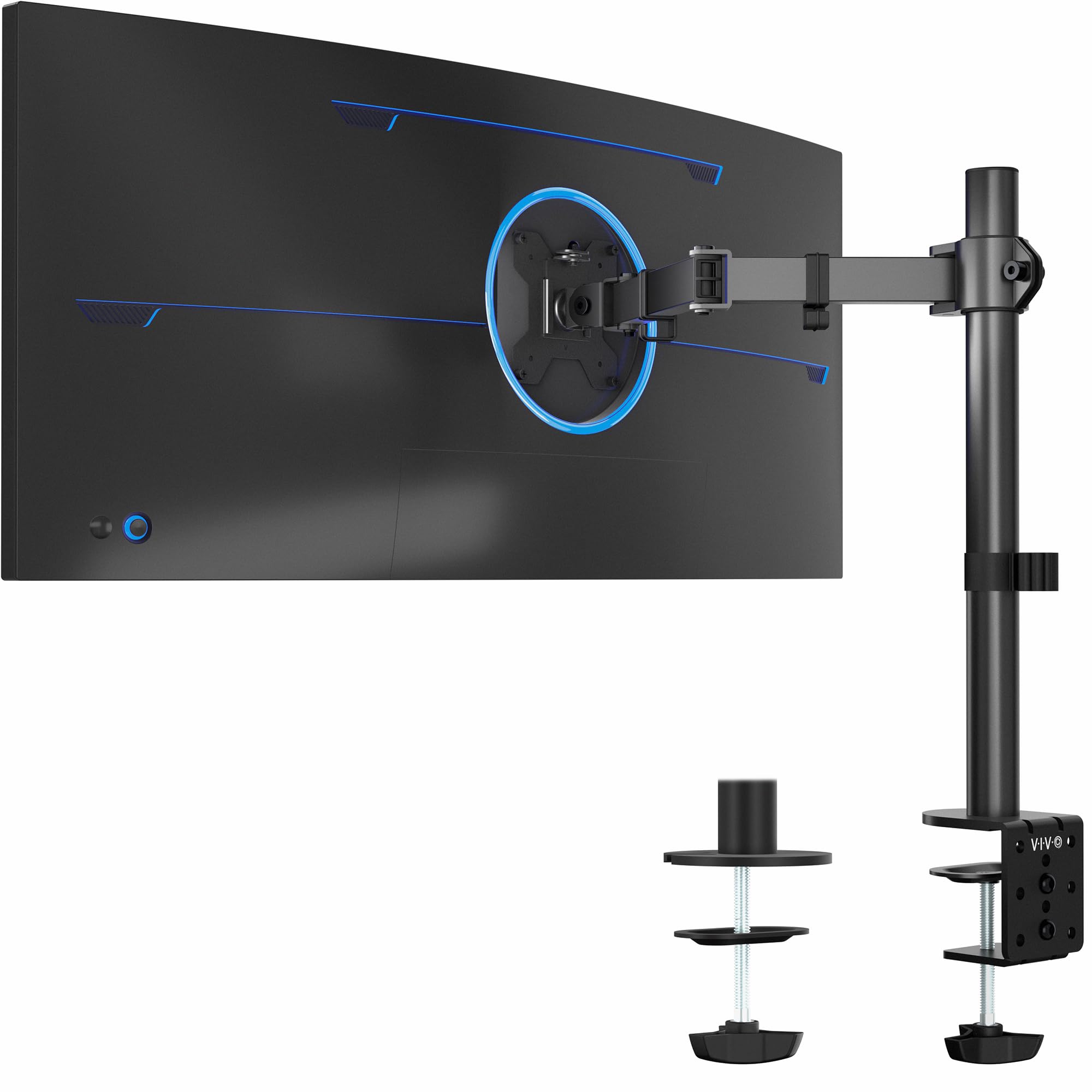
Read Amazon ReviewsVIVO Single Monitor Desk Mount, Up to 38-Inch Ultrawides
Choose the reviewed tension arm when your ultrawide is larger or heavier and you want spring-assisted repositioning. Consider this alternative for a smaller, lighter display if its center-pole height adjustment better suits your setup.
- This VIVO single-monitor mount supports displays up to 38 inches and 22 pounds, with up to 16 inches of height adjustment along a center pole.
- It offers tilt, swivel, rotation, VESA 75 × 75 mm or 100 × 100 mm mounting, and clamp or optional grommet installation.
- The VIVO Aluminum Ultrawide Monitor Tension Arm supports screens up to 49 inches and 44 pounds, with spring-assisted height adjustment and an 11-inch adjustment range.
Computer Monitor Arms alternative
2,000+ ratings
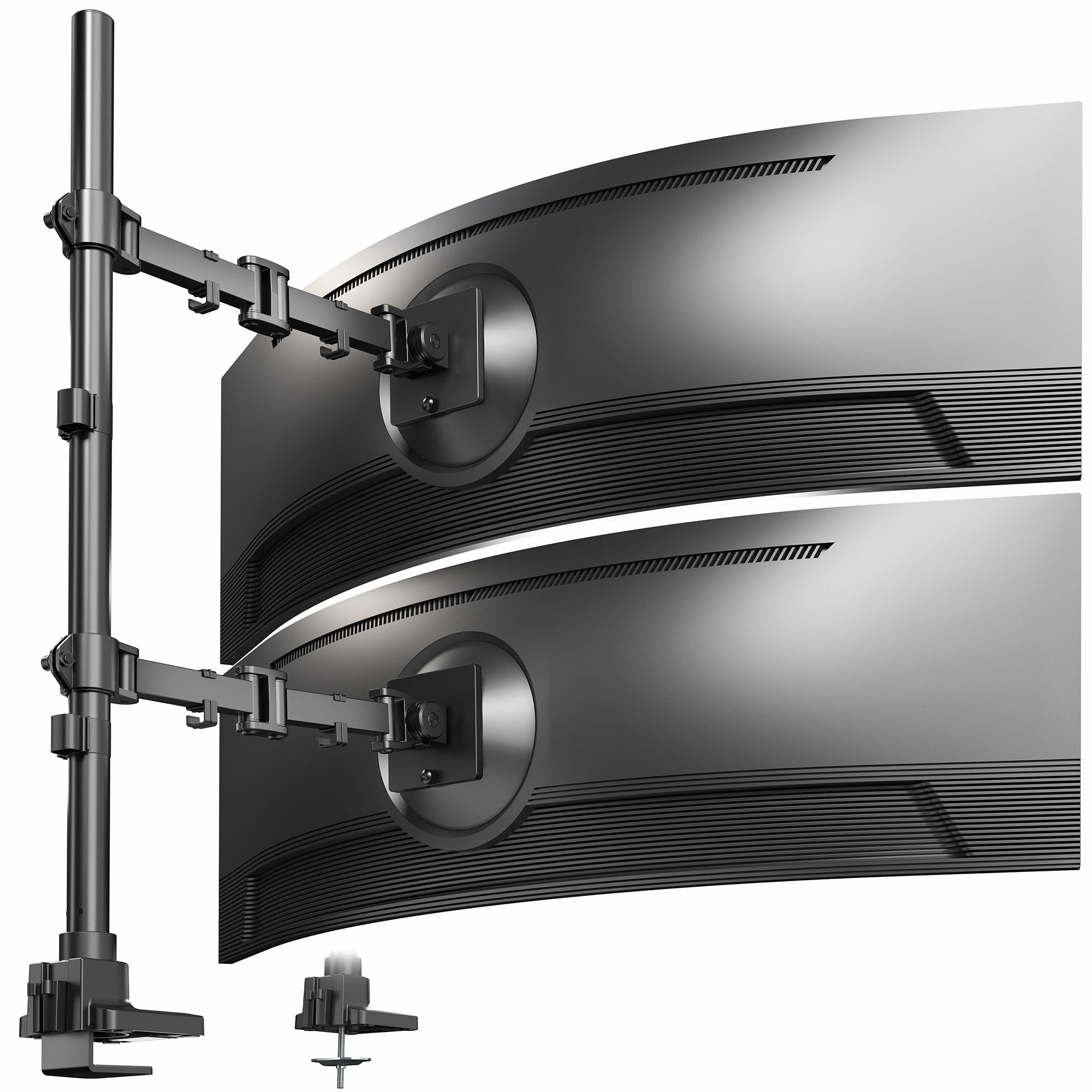
Read Amazon ReviewsVIVO Dual Ultrawide Monitor Extra Tall Desk Mount
Choose the reviewed arm for a single display and its specified height-adjustment range. Consider the dual-screen model if you need two ultrawide positions and your desk fits its clamp or grommet requirements.
- This VIVO mount is designed for two ultrawide monitors, each up to 49 inches and 44 pounds, with VESA 75 × 75 mm or 100 × 100 mm patterns.
- It offers tilt, swivel, rotation, and a C-clamp or optional grommet mount, with separate desk-thickness limits for each method.
- The reviewed arm holds one ultrawide up to 49 inches and 44 pounds, with a spring-assist mechanism and up to 11 inches of height adjustment.
Is VIVO Tension Arm Worth It?
The VIVO Aluminum Ultrawide Monitor Tension Arm is worth considering for a single large ultrawide setup when the monitor fits its size, weight, and VESA limits and the desk suits one of its mounting methods.
Spring assistance, several adjustment directions, and cable covers make it a well-equipped choice for users who expect to reposition their screen.
Measure the desk and confirm monitor compatibility before buying.
Its single-screen design and specific mounting limits are the main fit considerations; buyers who need another display position or a different desk attachment should choose a mount designed for that setup.
Your review at a glance
2,000+ ratings
Read Amazon ReviewsVIVO Aluminum Ultrawide Monitor Tension Arm
A desk-clamped spring-assist arm for owners of large ultrawide monitors who want flexible positioning and a less cluttered workstation.
- Designed for one ultrawide monitor up to 49 inches and 44 pounds.
- Fits 75 × 75 mm or 100 × 100 mm VESA mounting patterns.
- Spring-assist arm is designed to counterbalance the screen for height adjustment.
- Provides +50° to -20° tilt, 180° swivel, 360° rotation, and 11 inches of height adjustment.