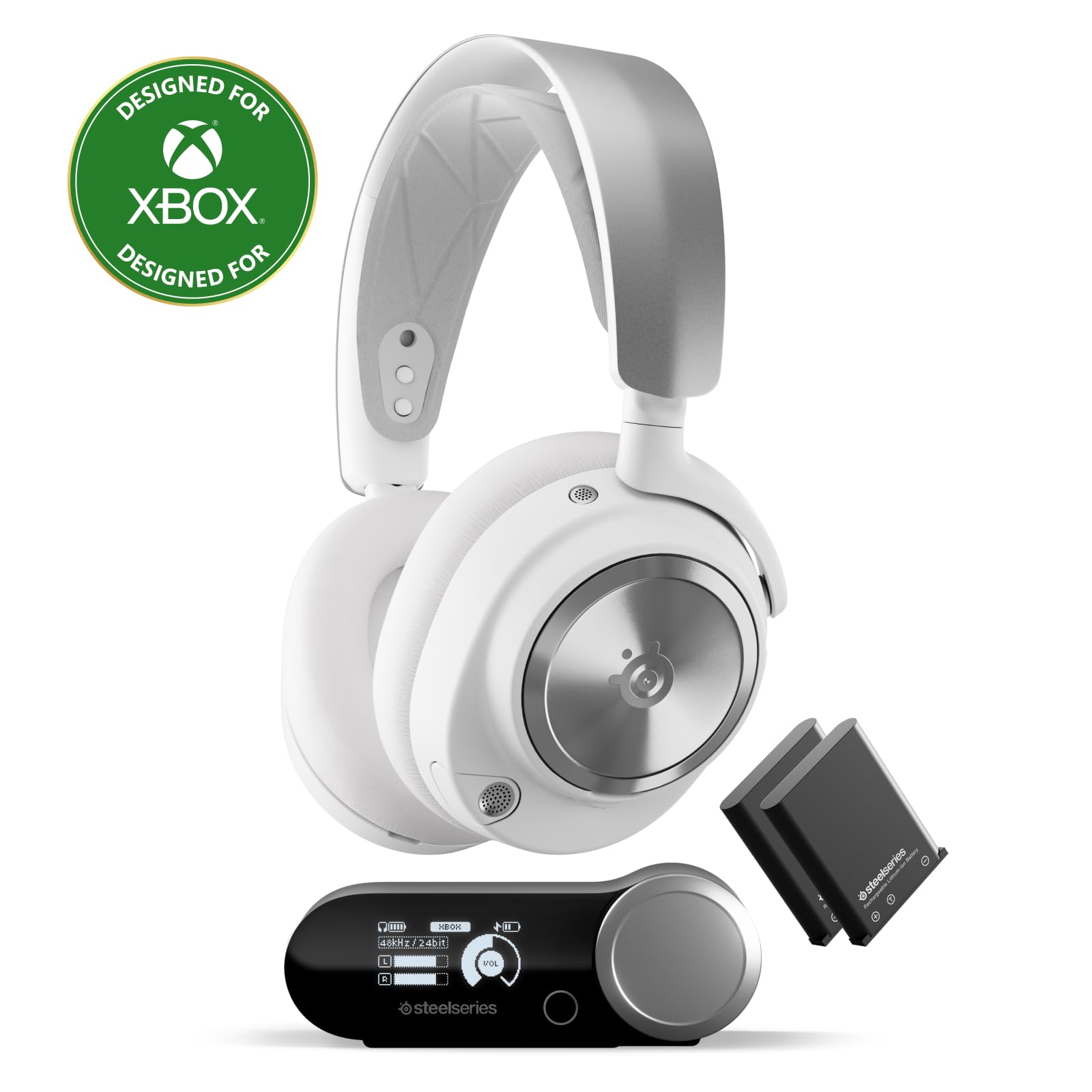
The SteelSeries Arctis Nova Pro Wireless is designed for players who move between Xbox and other gaming systems, with a base station that supports two connected systems and hot-swappable batteries.
This steelseries arctis nova pro wireless xbox review looks at its multi-system setup, audio tools, and the tradeoffs buyers should weigh before choosing a feature-rich headset.
Arctis Nova Pro Review Summary
The quick verdict
3,000+ ratings
Read Amazon ReviewsSteelSeries Arctis Nova Pro Wireless
A strong fit for players who want to switch between Xbox and another system, mix Bluetooth audio, and keep a spare battery ready for long sessions.
- Connect two systems at once and toggle between Xbox and PC, PlayStation, Switch, or Mac.
- Active noise cancellation is designed to reduce distracting sounds, with Transparency Mode available when you want to hear your surroundings.
- Neodymium magnetic drivers are described as delivering clear highs, pinpoint mids, and deep bass.
- Compatible with Tempest 3D Audio on PS5 and Microsoft Spatial Sound 2.

Pros
- Switching between two connected systems suits a gaming desk shared by Xbox and another platform.
- The spare battery charging in the base station makes battery changes practical during longer sessions.
Consider before buying
- The feature set is more than a single-system player may need, so the multi-system and audio tools may not justify choosing this design for a simpler setup.
- The battery approach depends on keeping the spare charged in the base station and swapping it in when needed.
Read the full review summary
The Arctis Nova Pro Wireless combines several conveniences aimed at a flexible gaming setup: connect two systems at once and toggle between them, mix in mobile calls or music over Bluetooth, and swap in a charged battery when the one in use runs low.
Active noise cancellation and a Transparency Mode also let players choose between reducing surrounding sound and hearing more of it.
Its feature set is most compelling for Xbox players who also use a PC, PlayStation, Switch, or Mac and want their headset to serve more than one setup.
Onboard audio profiles for games, support for spatial audio formats, and detailed-sounding neodymium magnetic drivers add gaming-focused appeal; buyers who only need a straightforward headset may find the multi-system features less useful.
The buying factors
Arctis Nova Pro Scorecard
Editorial scores reflect listed features and buyer fit; they are not laboratory measurements or customer ratings.
Multi-system flexibility
The headset can connect two systems at once and toggle between Xbox and another supported platform.
Battery convenience
Two hot-swappable batteries and a base station that charges the spare support continuous play without waiting for the headset to recharge.
Audio customization
Onboard profiles let players apply tuned settings for supported games, including profiles focused on footsteps.
Sound feature set
Neodymium magnetic drivers and compatibility with console and PC spatial audio formats give players several ways to shape the listening experience.
Noise control
Active noise cancellation and Transparency Mode cover two different preferences for managing nearby sound.
Mobile audio mixing
Simultaneous Bluetooth makes it possible to mix phone calls or music with game audio.
Key Features and Specifications of Arctis Nova Pro
- Connect two systems at once and toggle between Xbox and PC, PlayStation, Switch, or Mac.
- Active noise cancellation is designed to reduce distracting sounds, with Transparency Mode available when you want to hear your surroundings.
- Neodymium magnetic drivers are described as delivering clear highs, pinpoint mids, and deep bass.
- Compatible with Tempest 3D Audio on PS5 and Microsoft Spatial Sound 2.
- Two hot-swappable batteries are included; the spare charges in the base station while the other is in use.
- Bluetooth can connect a mobile device for calls or music mixed with game audio.
- Onboard audio profiles provide tuned settings for games such as Call of Duty, Fortnite, and Apex Legends.
Pros and Cons of Arctis Nova Pro
Pros
- Switching between two connected systems suits a gaming desk shared by Xbox and another platform.
- The spare battery charging in the base station makes battery changes practical during longer sessions.
- Bluetooth mixing gives mobile calls and music a place alongside game sound.
- Noise cancellation and Transparency Mode provide distinct options for how much surrounding sound to hear.
- Game-oriented audio profiles can make it easier to apply a preferred sound setup without tuning from scratch each time.
Consider before buying
- The feature set is more than a single-system player may need, so the multi-system and audio tools may not justify choosing this design for a simpler setup.
- The battery approach depends on keeping the spare charged in the base station and swapping it in when needed.
- Buyers seeking a particular fit or comfort feel should check the headset’s dimensions and return terms before committing, since comfort preferences vary.
Who Should Buy Arctis Nova Pro?
Good fit
Consider the Arctis Nova Pro Wireless if Xbox is one part of a multi-platform setup and you want to move between systems without repeatedly reconnecting a headset.
Its ability to keep two systems connected and toggle between them is the clearest reason to choose it over a simpler gaming headset.
It also suits players who value uninterrupted sessions and often use a phone alongside their game.
The hot-swappable battery system addresses charging pauses, while Bluetooth mixing and onboard game profiles add convenience for players who regularly adjust their audio.
Before buying, think through whether you will use those extras often enough to make a feature-rich headset worthwhile.
Confirm that the supported connections match your devices and consider how you prefer to manage the spare battery and base station in your play area.
Who should skip it
Skip it if your headset will stay connected to one system and you do not expect to use Bluetooth mixing, noise control, or game-specific audio profiles. In that situation, much of the product’s appeal may go unused.
If you need a particular fit, microphone behavior, or connection detail beyond the described features, check the product information for that point before deciding rather than assuming it will suit your setup.
What the Arctis Nova Pro Wireless Means for Xbox Setups
A headset built around switching systems
Connecting two systems at once and toggling between them makes this model a natural match for a desk where Xbox shares space with a PC, PlayStation, Switch, or Mac.
Buyers should identify which two devices they most want ready to use, since the stated switching feature is designed around a two-system connection.
Battery changes instead of waiting to recharge
The two-battery arrangement treats charging as a rotation: one battery powers the headset while the spare charges in the base station.
That can reduce interruptions during long play, provided the spare is returned to its charging spot and is ready when needed.
Game audio with room for adjustment
The drivers, spatial-audio compatibility, and onboard game profiles provide several audio-oriented features in one headset.
A player who likes to tune sound for different games may appreciate having profiles available; someone satisfied with a single default sound may not benefit as much from the added choice.
Choosing between isolation and awareness
Active noise cancellation and Transparency Mode offer different ways to handle the listening environment.
They make the headset more adaptable to a player's surroundings, while the right mode depends on whether reducing distractions or hearing nearby activity matters more at a given time.
Alternatives to Arctis Nova Pro
Only one supplied model offers a useful comparison for buyers choosing between gaming-focused multi-system features and general-purpose wireless listening.
Battery-focused alternative
9,000+ ratings
Read Amazon ReviewsJLab JBuds Lux ANC
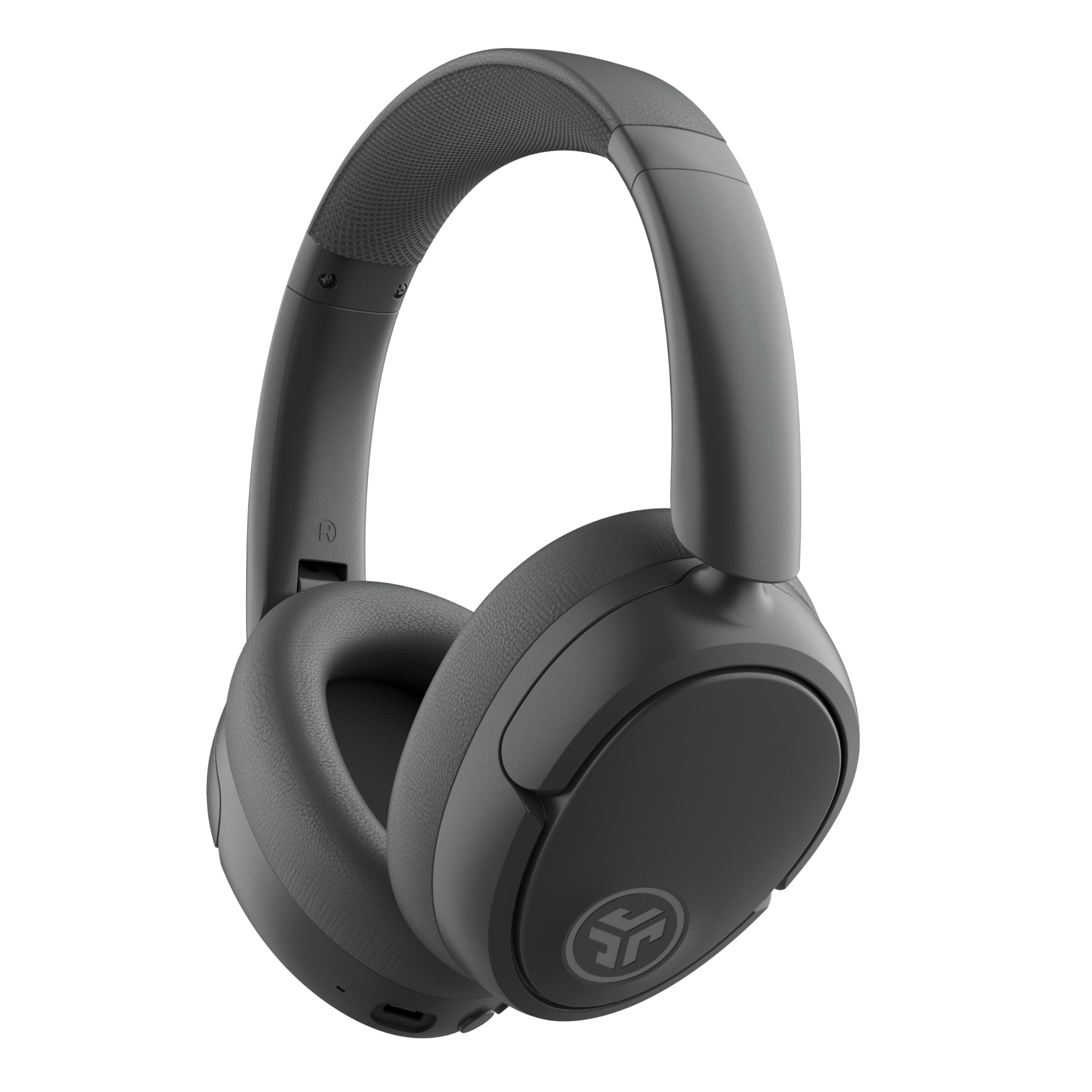
Consider the JBuds Lux ANC if your priority is everyday use across a phone and laptop, with app control and long stated battery life.
Choose the Arctis Nova Pro Wireless if toggling between Xbox and another gaming system, hot-swapping batteries, and mixing mobile audio with gameplay better match your routine.
- The JBuds Lux ANC emphasizes everyday wireless listening, with Bluetooth multipoint for two devices, app-based EQ and noise-control adjustments, and a stated 70-plus hours of total playtime.
- The Arctis Nova Pro Wireless focuses on multi-system gaming, hot-swappable batteries, onboard game profiles, and simultaneous Bluetooth audio mixing.
Is Arctis Nova Pro Worth It?
The SteelSeries Arctis Nova Pro Wireless is worth considering for Xbox players who regularly switch between systems and will use its battery rotation, Bluetooth mixing, and audio controls.
Those features give it a clear role in a multi-platform setup.
Its value depends on how much of that flexibility you need.
If you use one system and want a straightforward headset, look for a simpler fit; if you will use the switching and audio tools, this model brings a broad set of gaming-focused options together.
Your review at a glance
3,000+ ratings
Read Amazon ReviewsSteelSeries Arctis Nova Pro Wireless
A strong fit for players who want to switch between Xbox and another system, mix Bluetooth audio, and keep a spare battery ready for long sessions.
- Connect two systems at once and toggle between Xbox and PC, PlayStation, Switch, or Mac.
- Active noise cancellation is designed to reduce distracting sounds, with Transparency Mode available when you want to hear your surroundings.
- Neodymium magnetic drivers are described as delivering clear highs, pinpoint mids, and deep bass.
- Compatible with Tempest 3D Audio on PS5 and Microsoft Spatial Sound 2.