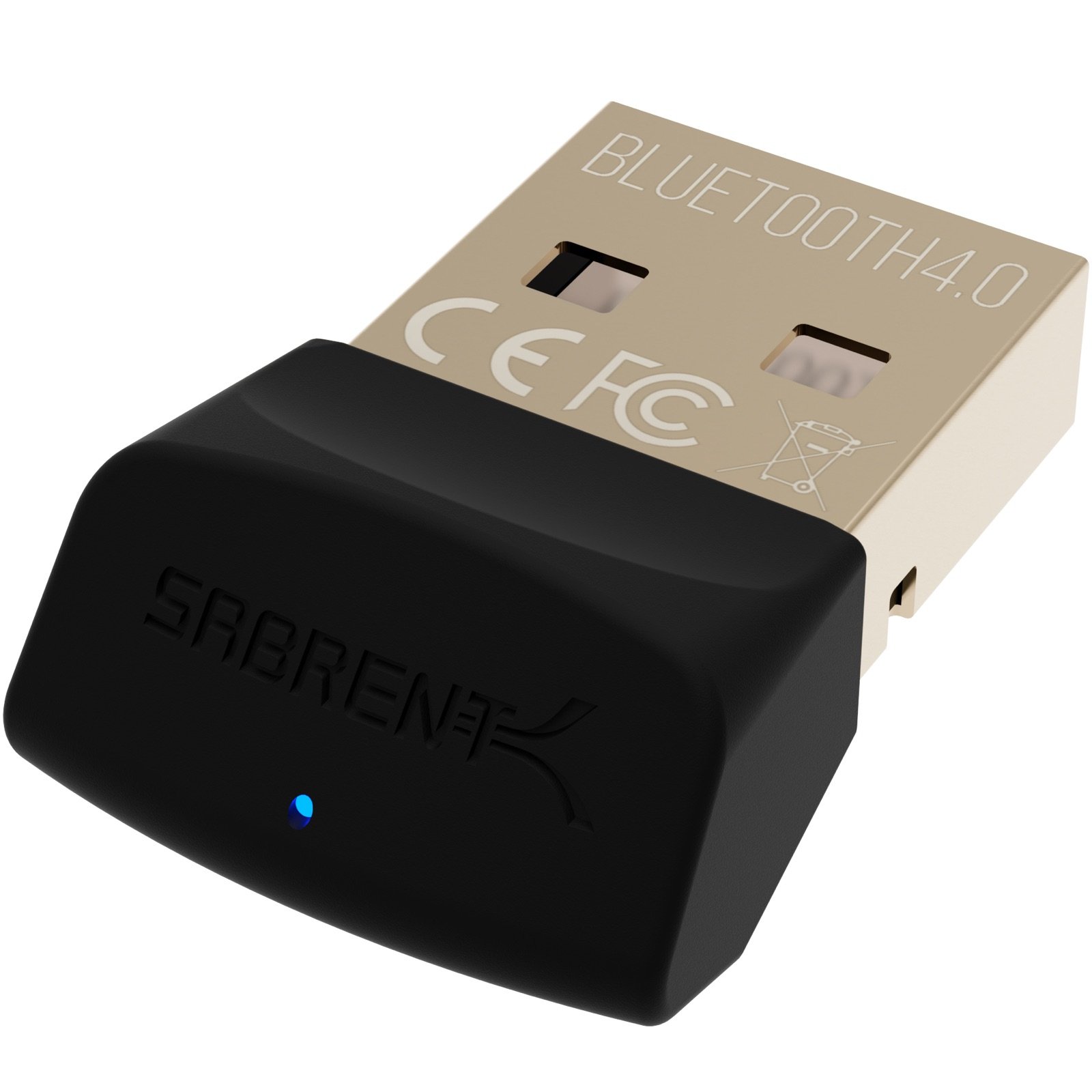
The SABRENT USB Bluetooth 4.0 Micro Adapter is a straightforward way to add wireless connectivity to a PC that lacks Bluetooth.
This review looks at how its Bluetooth 4.0 support and listed uses fit everyday connections to a phone or headset.
SABRENT Bluetooth Adapter Review Summary
The quick verdict
3,000+ ratings
Read Amazon ReviewsSABRENT USB Bluetooth 4.0 Micro Adapter
A compact option for adding Bluetooth connectivity to a PC for phones, headsets, and other compatible devices.
- Bluetooth specification v4.0 Class 2 with Low Energy Technology.
- Compatible with Bluetooth versions 3.0, 2.1, 2.0, and 1.1.
- Connects through a USB Type-A port.
- Designed to enable wireless connectivity between a laptop and a cellular phone.

Pros
- Supports Bluetooth 4.0 and several earlier Bluetooth versions.
- Includes Low Energy Technology for compatible devices.
Consider before buying
- Bluetooth 4.0 is an older standard, so buyers seeking a newer-generation adapter should compare other options.
- The description does not specify supported operating systems; confirm compatibility with your computer before purchase.
Read the full review summary
The adapter supports Bluetooth 4.0 Class 2 with Low Energy Technology and is compatible with Bluetooth versions 3.0, 2.1, 2.0, and 1.1.
Its USB Type-A connector makes it a simple add-on for a computer with a matching port, while its small adapter format keeps the setup focused on adding Bluetooth rather than extra networking features.
Its described uses include connecting a Bluetooth headset to a PC and establishing wireless connectivity between a laptop and a cellular phone.
It may also suit someone who wants to access an internet connection through a Bluetooth-enabled phone or PC.
Before buying, check that the computer's operating system and intended devices support the connection method you need, since compatibility details beyond the Bluetooth versions are not provided.
The buying factors
SABRENT Bluetooth Adapter Scorecard
Editorial scores reflect listed features and buyer fit; they are not laboratory measurements or customer ratings.
Bluetooth version support
Bluetooth 4.0 support includes compatibility with versions 3.0, 2.1, 2.0, and 1.1, covering several earlier standards.
Everyday device uses
The described uses include connecting a headset and linking a laptop with a cellular phone.
Low-energy support
Bluetooth Low Energy is included, which can be useful with compatible devices.
Connection flexibility
The product supports several Bluetooth versions, though no further connection or range details are supplied.
PC setup clarity
The USB Type-A connection is clear, but buyers should confirm operating-system and device compatibility for their setup.
Use beyond peripherals
The described phone and PC internet-access scenarios broaden its uses, subject to compatible devices and service.
Key Features and Specifications of SABRENT Bluetooth Adapter
- Bluetooth specification v4.0 Class 2 with Low Energy Technology.
- Compatible with Bluetooth versions 3.0, 2.1, 2.0, and 1.1.
- Connects through a USB Type-A port.
- Designed to enable wireless connectivity between a laptop and a cellular phone.
- Can connect a Bluetooth headset to a PC.
- Described for accessing the internet through a Bluetooth mobile phone with GPRS/CDMA or a Bluetooth-enabled PC with an internet connection.
Pros and Cons of SABRENT Bluetooth Adapter
Pros
- Supports Bluetooth 4.0 and several earlier Bluetooth versions.
- Includes Low Energy Technology for compatible devices.
- Its listed uses cover both a headset connection and phone-to-laptop connectivity.
- Uses a familiar USB Type-A connector.
Consider before buying
- Bluetooth 4.0 is an older standard, so buyers seeking a newer-generation adapter should compare other options.
- The description does not specify supported operating systems; confirm compatibility with your computer before purchase.
- The product details do not give a range figure, so check that the intended placement and distance will work for your setup.
Who Should Buy SABRENT Bluetooth Adapter?
Good fit
Consider the SABRENT USB Bluetooth 4.0 Micro Adapter if you need to add Bluetooth to a computer with USB Type-A and your intended devices use one of the supported Bluetooth versions.
Its stated applications are practical basics: linking a laptop with a cellular phone and connecting a Bluetooth headset to a PC.
It may also be a fit if you specifically need Bluetooth Low Energy support or the described phone-to-PC internet-access arrangement. Check your computer's operating-system requirements and the compatibility of your phone or headset before choosing it.
Who should skip it
Look elsewhere if you specifically need a newer Bluetooth generation, or if your computer has no USB Type-A port.
The product description gives Bluetooth 4.0 support and does not provide a range specification, so it may not answer needs that depend on newer standards or a known coverage distance.
Skip it if you cannot confirm support for your computer and the devices you plan to connect. The listed use cases are not a substitute for checking compatibility with your own setup.
How the SABRENT Bluetooth Adapter fits a PC setup
Version support and older devices
Bluetooth 4.0 support alongside versions 3.0, 2.1, 2.0, and 1.1 gives this adapter compatibility across multiple generations.
That makes it worth considering for a setup with an older Bluetooth accessory, but buyers should match the adapter's listed support to the specific device they plan to use.
Low Energy and peripheral use
Low Energy Technology is part of the stated Bluetooth specification, and headset connectivity is one of the product's named uses.
The practical benefit depends on whether the computer and accessory support the connection, so verify compatibility when pairing a particular headset or other device.
Phone and computer connectivity
The adapter is also described for wireless connectivity between a laptop and cellular phone, including internet access through a Bluetooth phone with GPRS/CDMA or a Bluetooth-enabled PC with an internet connection.
These scenarios make it more than a headset-only option, though buyers should confirm that their phone, computer, and intended connection method work together.
USB Type-A and compatibility checks
A USB Type-A connector gives the adapter a clear physical fit requirement. The product details do not identify operating-system support or a range figure, so check those specifics against your computer and placement needs before buying.
Alternatives to SABRENT Bluetooth Adapter
Bluetooth Network Adapters alternative
1,000+ ratings
Read Amazon ReviewsTP-Link UB500 Plus Bluetooth 5.3 USB Adapter
Choose the SABRENT if its Bluetooth 4.0 support and listed phone or headset uses meet your needs.
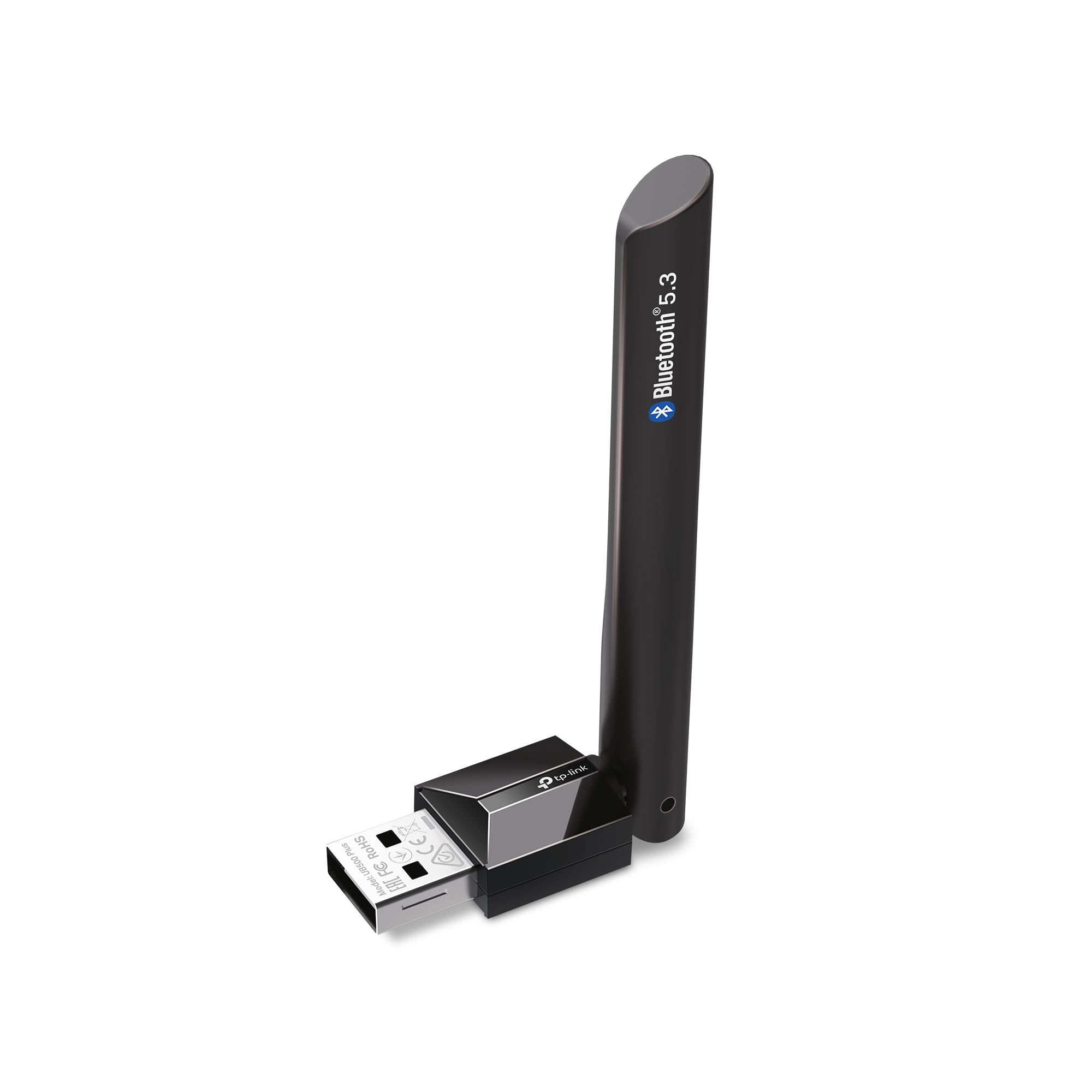
Consider the TP-Link if you prefer a newer Bluetooth version, an adjustable antenna, or the specified Windows support; its description also claims up to twice the speed and four times the coverage compared with Bluetooth 4.0.
- The TP-Link UB500 Plus supports Bluetooth 5.3 with EDR, is backward compatible with versions 4.2, 4.0, 3.0, 2.1, 2.0, and 1.1, and has an adjustable multidirectional antenna.
- Its description lists plug-and-play support for Windows 8.1, 10, and 11, with a driver required for Windows 7.
- The SABRENT adapter provides Bluetooth 4.0 Class 2 with Low Energy Technology and supports several earlier Bluetooth versions.
Is SABRENT Bluetooth Adapter Worth It?
The SABRENT USB Bluetooth 4.0 Micro Adapter is worth considering as a basic way to add Bluetooth to a USB Type-A computer, particularly when Bluetooth 4.0, Low Energy support, and connections to a phone or headset match your setup.
Its several supported Bluetooth versions broaden device compatibility.
Before buying, confirm operating-system and accessory compatibility, and consider whether an older Bluetooth standard and unspecified range suit your needs.
If they do, this is a focused adapter for the listed PC and phone connections; buyers wanting a newer standard or a stated antenna design should compare the alternative.
Your review at a glance
3,000+ ratings
Read Amazon ReviewsSABRENT USB Bluetooth 4.0 Micro Adapter
A compact option for adding Bluetooth connectivity to a PC for phones, headsets, and other compatible devices.
- Bluetooth specification v4.0 Class 2 with Low Energy Technology.
- Compatible with Bluetooth versions 3.0, 2.1, 2.0, and 1.1.
- Connects through a USB Type-A port.
- Designed to enable wireless connectivity between a laptop and a cellular phone.