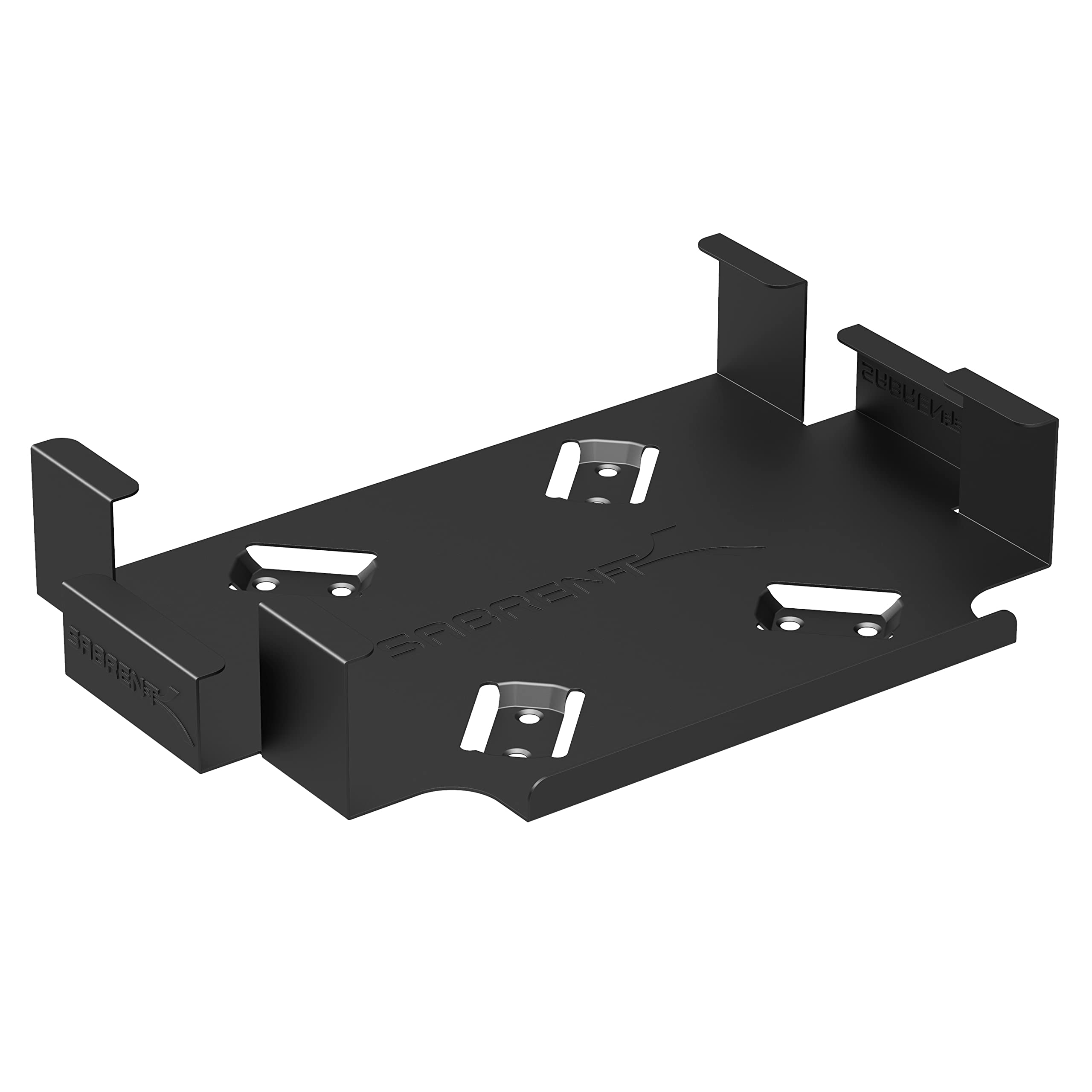
The SABRENT Mac mini VESA Mount/Wall Mount/Under Desk Mount is designed for owners who want to place a compatible Unibody Mac mini on a wall, beneath a desk, or as part of a VESA setup.
This review looks at its mounting flexibility, access to controls and connections, and the checks worth making before installation.
SABRENT Mount Review Summary
The quick verdict
2,000+ ratings
Read Amazon ReviewsSABRENT Mac mini Mount
A practical fit for Mac mini owners who want to mount a compatible Unibody model and keep its ports and cables accessible.
- Designed to mount a compatible Unibody Mac mini.
- Supports VESA, wall, and under-desk placement.
- Allows access to the power button, output jacks, and cables.
- Black powder coating helps protect the Mac mini from scratches or damage.

Pros
- Three mounting approaches make it easier to move a Mac mini off the desktop or integrate it with a VESA setup.
- Access to the power button and output jacks remains part of the design, reducing the inconvenience of mounting the computer out of reach.
Consider before buying
- Compatibility is limited to Unibody Mac mini models, so buyers should confirm their computer is the right generation before ordering.
- The holder is for fixed placement; it does not provide the screen-position adjustment offered by a monitor arm.
Read the full review summary
This is a purpose-built holder for a Mac mini rather than an adjustable monitor arm.
Its central appeal is straightforward: mount the computer securely where it takes up less visible desk space, while retaining access to the power button, output jacks, and cables.
A black powder-coated finish is intended to help protect the computer from scratches or damage, and the package includes screws, drywall anchors, and installation instructions.
The key fit condition is compatibility with a Unibody Mac mini.
If you have that model and already know where you want to mount it, the included installation hardware and multiple placement options make the SABRENT a focused, practical choice.
Before buying, compare your Mac mini’s design with the compatible generation and check that your chosen mounting surface and desired orientation work with your cable routing.
The buying factors
SABRENT Mount Scorecard
Editorial scores reflect listed features and buyer fit; they are not laboratory measurements or customer ratings.
Mac mini compatibility
The stated fit is specifically for Unibody Mac mini models, so this is a focused option when your computer matches that generation.
Placement flexibility
The product is designed for VESA, wall, or under-desk mounting, giving buyers several ways to position it.
Port and button access
The design allows access to the power button, output jacks, and cables, useful when the computer is mounted out of the way.
Surface protection
Black powder coating helps protect the Mac mini from scratches or damage during use in the mount.
Installation readiness
Screws, drywall anchors, and easy installation instructions are included, though the best hardware and approach depend on the mounting surface.
Everyday flexibility
It supports several mounting locations, but it is a fixed holder rather than a repositionable arm.
Key Features and Specifications of SABRENT Mount
- Designed to mount a compatible Unibody Mac mini.
- Supports VESA, wall, and under-desk placement.
- Allows access to the power button, output jacks, and cables.
- Black powder coating helps protect the Mac mini from scratches or damage.
- Includes screws, drywall anchors, and installation instructions.
Pros and Cons of SABRENT Mount
Pros
- Three mounting approaches make it easier to move a Mac mini off the desktop or integrate it with a VESA setup.
- Access to the power button and output jacks remains part of the design, reducing the inconvenience of mounting the computer out of reach.
- Included screws, drywall anchors, and instructions provide a starting point for installation.
- The coated finish is intended to protect the computer from scratches or damage while it sits in the holder.
Consider before buying
- Compatibility is limited to Unibody Mac mini models, so buyers should confirm their computer is the right generation before ordering.
- The holder is for fixed placement; it does not provide the screen-position adjustment offered by a monitor arm.
- Installation needs to match the chosen surface. Check wall or desk construction and cable reach before drilling or fastening.
Who Should Buy SABRENT Mount?
Good fit
Consider the SABRENT if you own a compatible Unibody Mac mini and want to mount it out of the way while keeping its button, ports, and cables reachable.
The wall, under-desk, and VESA options let you choose placement around your existing workspace rather than leaving the computer on the desktop.
It is also a reasonable fit when a simple holder is all you need.
The supplied screws, drywall anchors, and instructions reduce the need to source basic installation parts separately, while the powder-coated finish adds a layer intended to protect the computer from contact with the mount.
Before installing, check that the mounting position gives you enough room to connect and route cables, and verify that your surface suits the hardware and installation method.
Those practical checks matter because a tucked-away computer is useful only when you can still reach its connections and operate it comfortably.
Who should skip it
Skip this mount if your Mac mini is not a Unibody model or you cannot confirm that it matches the stated compatibility.
This holder is also not the right kind of product if you need an adjustable arm for a monitor or want to move the computer frequently between locations.
If your mounting surface or cable path is still undecided, settle those details first.
Choose a location where the power button and connections remain usable, and make sure the supplied installation approach suits the surface you plan to use.
How the SABRENT Mount Fits a Mac mini Setup
Choose the mounting position first
The three intended placements—VESA, wall, and under desk—make the holder useful in different workspace layouts.
Decide which location best clears your desk while keeping the computer reachable; the right choice depends on the equipment and surfaces already in your setup.
Access matters after installation
The design allows access to the power button, output jacks, and cables, a practical consideration when mounting a computer behind a display or beneath a desk.
Before fastening it in place, consider whether connected cables can reach comfortably and whether you can reach the controls in the chosen position.
Treat compatibility as the first filter
The stated compatibility is for Unibody Mac mini models. Since this is a model-specific holder, verify that your Mac mini matches that generation before planning around its mounting options.
Match the hardware to the surface
Screws, drywall anchors, and installation instructions are included, giving you basic installation materials. Check your wall or desk surface and intended mounting location before installation so the approach suits the structure and leaves room for cables.
Alternatives to SABRENT Mount
Computer Monitor Arms alternative
20,000+ ratings
Read Amazon ReviewsVIVO Single Monitor Desk Mount, STAND-V001
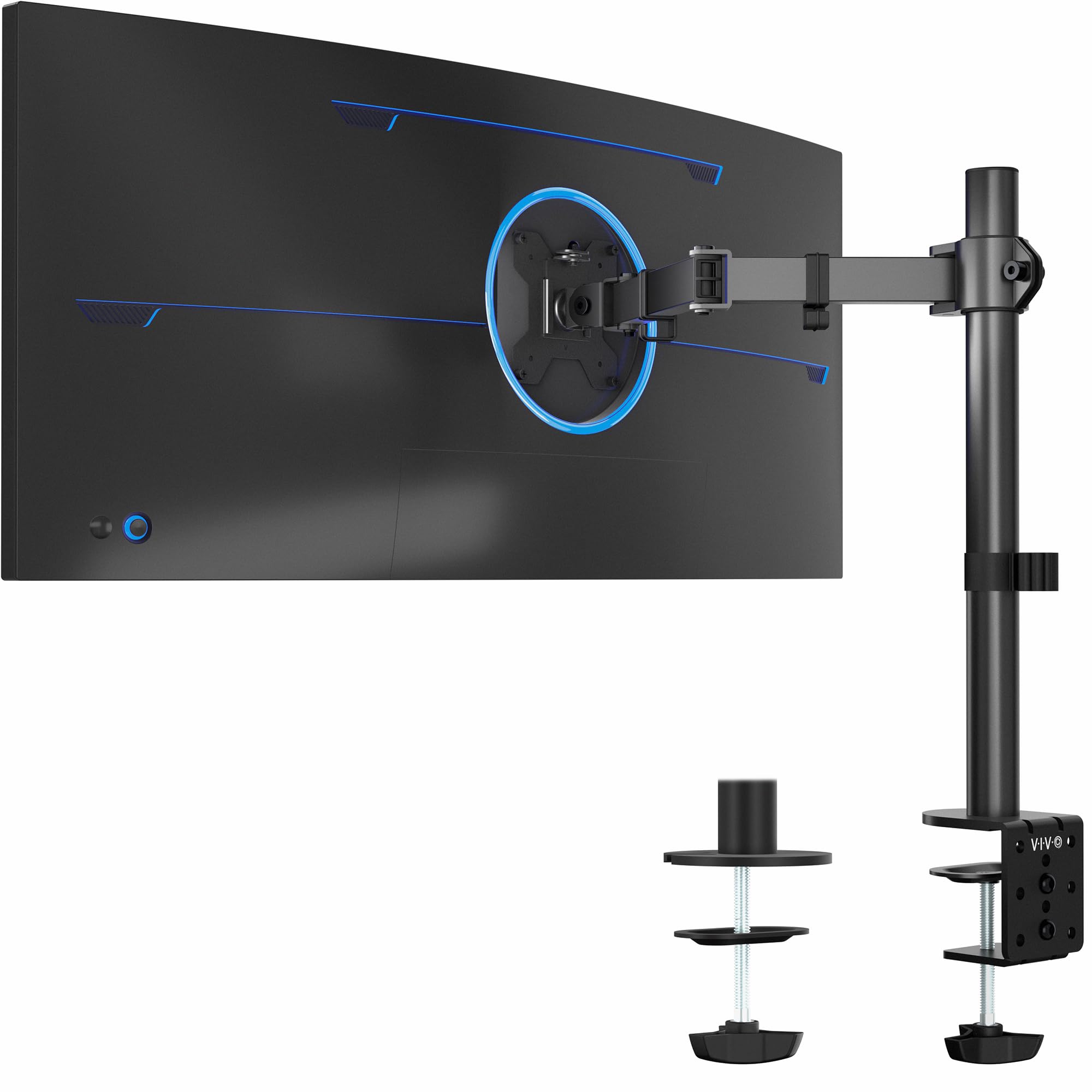
Choose the SABRENT for mounting a compatible Mac mini. Choose the VIVO if the actual need is to position one VESA-compatible monitor on a desk; it is not a substitute for a Mac mini holder.
- The VIVO STAND-V001 is an adjustable desk mount for one monitor, supporting screens from 13 to 32 inches and ultrawides up to 38 inches, with VESA 75x75 or 100x100 mounting holes.
- It includes a C-clamp and optional grommet mounting, plus tilt, swivel, rotation, and height adjustment.
- The SABRENT is a fixed holder for a compatible Unibody Mac mini, with VESA, wall, and under-desk placement options.
Computer Monitor Arms alternative
60,000+ ratings
Read Amazon ReviewsVIVO Dual Monitor Desk Mount, STAND-V002
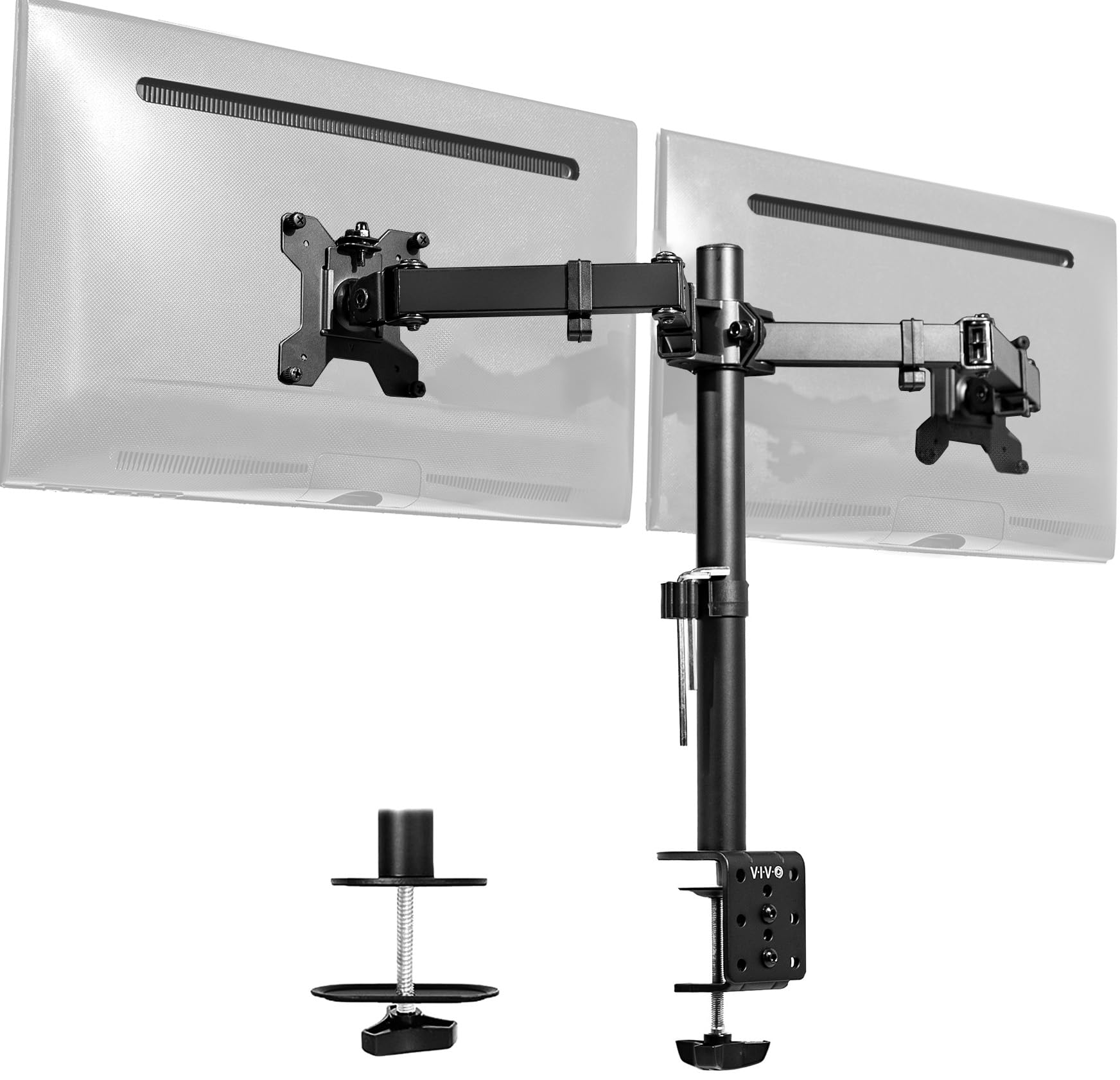
The SABRENT fits a Mac mini mounting need. Consider the VIVO only if you need a desk-mounted stand for two monitors and have a compatible desk and screens; the two products serve different equipment.
- The VIVO STAND-V002 holds two monitors from 13 to 30 inches, up to 22 pounds each, with VESA 75x75 or 100x100 mounting holes.
- It uses a desk clamp or optional grommet mount and offers tilt, swivel, rotation, and height adjustment along a center pole.
- The SABRENT focuses on mounting a compatible Unibody Mac mini while keeping its controls and connections accessible.
Is SABRENT Mount Worth It?
The SABRENT Mac mini Mount is worth considering if you have a compatible Unibody Mac mini and want to move it off the desktop without giving up access to its power button, ports, and cables.
Its range of intended placements and included installation parts make it a straightforward option for a planned, fixed setup.
Confirm model compatibility, cable reach, and surface suitability before installing.
If those conditions fit your workspace, this mount offers a focused way to position a Mac mini; if you need a monitor arm or a holder for another Mac mini generation, look for a product designed for that purpose.
Your review at a glance
2,000+ ratings
Read Amazon ReviewsSABRENT Mac mini Mount
A practical fit for Mac mini owners who want to mount a compatible Unibody model and keep its ports and cables accessible.
- Designed to mount a compatible Unibody Mac mini.
- Supports VESA, wall, and under-desk placement.
- Allows access to the power button, output jacks, and cables.
- Black powder coating helps protect the Mac mini from scratches or damage.