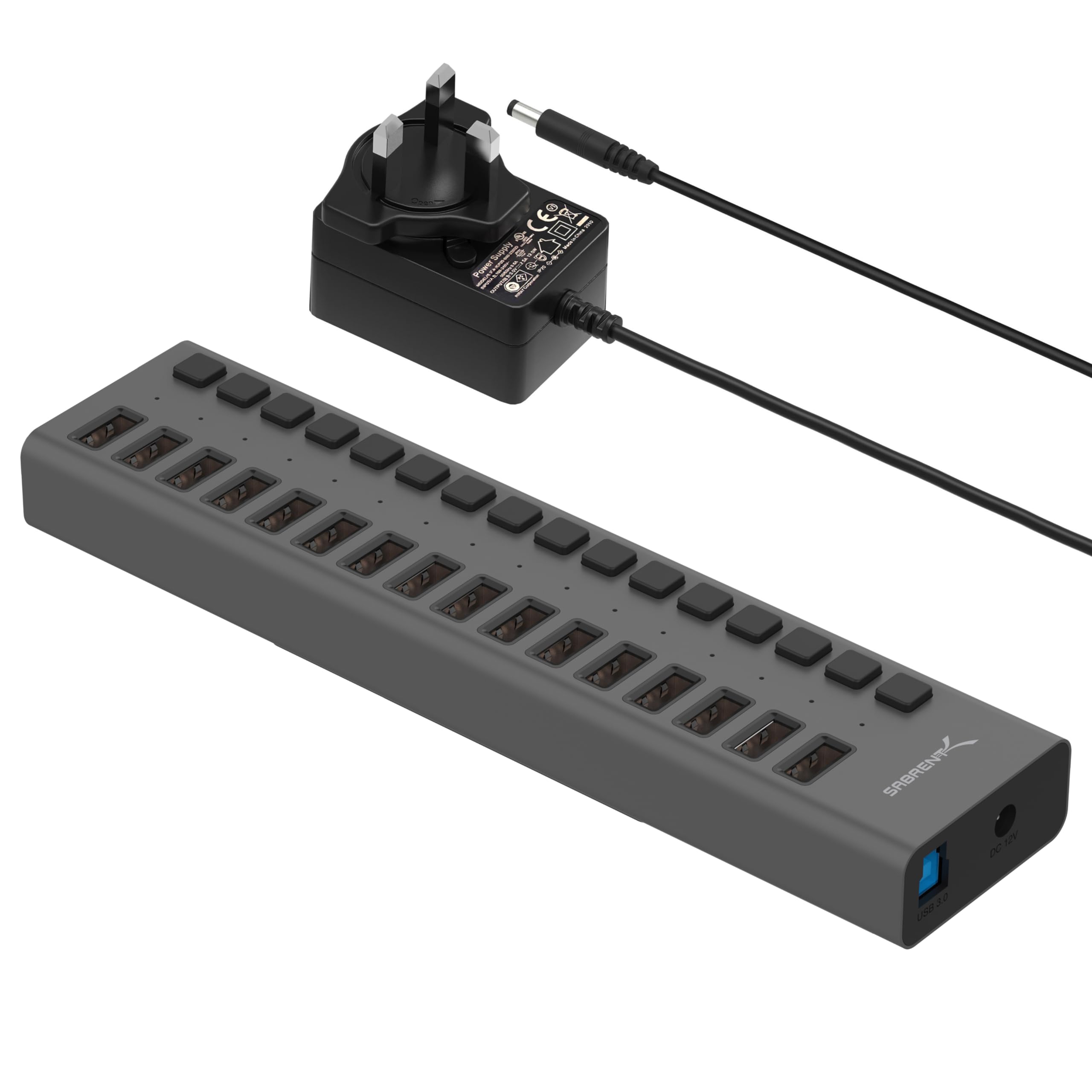
The SABRENT HB-PU16 is a powered USB 3.0 hub designed to put 16 Type-A connections within reach, with an individual power switch and blue status light for each port.
This SABRENT HB-PU16 review looks at its appeal for device-heavy desks and the practical limits to consider before making it a central connection point.
SABRENT HB-PU16 Review Summary
The quick verdict
1,000+ ratings
Read Amazon ReviewsSABRENT HB-PU16 16-Port USB 3.0 Hub
A fit for desks that connect many USB-A peripherals and value individual port switches, with compatibility and power needs worth checking first.
- Sixteen downstream USB 3.0 Type-A ports for connecting multiple peripherals.
- Individual power switches let users manage ports one at a time.
- A blue LED indicates power status for each port.
- Data transfer speeds are specified at up to 5Gbps.

Pros
- A 16-port layout can accommodate a large number of USB-A accessories in one place.
- Individual switches and status lights make it easier to see and control each port.
Consider before buying
- Sixteen ports make the hub more appropriate for a fixed workstation than for a compact travel kit.
- The description does not establish how much power is available to each port when several devices are connected; check that your intended mix of drives and charging devices is supported.
Read the full review summary
The HB-PU16's main draw is its unusually generous port count for a desktop hub: it offers 16 downstream USB 3.0 ports, supports USB 2.0 and USB 1.1 devices, and provides a switch and power indicator at each port.
That combination can help organize a workstation with several drives, card readers, and other peripherals, while allowing a user to control individual connections without unplugging them.
It is best suited to a stationary setup where many USB-A devices need to be connected at once.
Its specified transfer ceiling is up to 5Gbps, but actual rates depend on the connected device and use conditions; buyers should also confirm that the included power arrangement and host connection suit their equipment, since the available description gives limited detail about those aspects.
The buying factors
SABRENT HB-PU16 Scorecard
Editorial scores reflect listed features and buyer fit; they are not laboratory measurements or customer ratings.
Port capacity
Sixteen downstream ports provide substantial room for a multi-device workstation.
Port-level control
Each port has its own power switch and blue status LED, making individual connections easier to manage.
USB generation flexibility
USB 3.0 ports are compatible with USB 2.0 and USB 1.1 devices.
Transfer-rate potential
The stated maximum is up to 5Gbps, though that figure is a ceiling rather than a guarantee for every transfer.
Peripheral range
The description covers flash drives, card readers, external hard drives, and other USB peripherals.
Purchase clarity
The core port and speed details are clear, but buyers may need to confirm power and host-connection details for their setup.
Key Features and Specifications of SABRENT HB-PU16
- Sixteen downstream USB 3.0 Type-A ports for connecting multiple peripherals.
- Individual power switches let users manage ports one at a time.
- A blue LED indicates power status for each port.
- Data transfer speeds are specified at up to 5Gbps.
- Compatible with USB 2.0 and USB 1.1 devices, with support for super-speed, high-speed, full-speed, and low-speed transmission modes.
- Plug-and-play and hot-swappable operation are listed.
- The listed device types include USB flash drives, card readers, external hard drives, and other USB peripherals, for access or charging.
Pros and Cons of SABRENT HB-PU16
Pros
- A 16-port layout can accommodate a large number of USB-A accessories in one place.
- Individual switches and status lights make it easier to see and control each port.
- Backward compatibility supports older USB 2.0 and USB 1.1 devices.
- The stated up-to-5Gbps rate gives compatible USB 3.0 devices a higher transfer ceiling than older USB standards.
Consider before buying
- Sixteen ports make the hub more appropriate for a fixed workstation than for a compact travel kit.
- The description does not establish how much power is available to each port when several devices are connected; check that your intended mix of drives and charging devices is supported.
- The 5Gbps figure is a maximum, so connected-device limits and the rest of the setup can affect real transfer rates.
Who Should Buy SABRENT HB-PU16?
Good fit
Consider the HB-PU16 if your desk regularly needs connections for many USB-A devices and you want to control each port separately.
The per-port switches are especially useful when some accessories can remain plugged in but do not need to stay active all the time.
It may also suit a workstation that mixes newer USB 3.0 devices with older USB 2.0 or USB 1.1 peripherals.
Before buying, count the devices you expect to connect and confirm that the hub's power arrangement and host connection are appropriate for them.
Who should skip it
Choose a smaller hub if you only need a few added connections or regularly carry your accessories between locations; 16 ports may be more capacity and desk presence than your routine calls for.
Look elsewhere if your setup depends on a specific power output per port or a particular host connector that you cannot confirm for this model. The provided specifications do not give enough detail to match those requirements confidently.
What the SABRENT HB-PU16 Means for a Multi-Device Desk
Port count and desk organization
Sixteen downstream ports make this hub a practical candidate for a desk with many USB-A accessories.
The value of that capacity depends on the devices you actually use: a buyer with only a keyboard, mouse, and one drive may not benefit from the extra connections, while a more involved setup can keep several peripherals attached in one place.
Individual switches and status lights
A switch and blue power-status LED at each port give the user a visible, direct way to manage individual connections.
This can make a crowded hub easier to oversee and lets you switch a port off when that device is not needed, without having to remove its cable.
Compatibility and speed expectations
The hub is described as supporting USB 3.0 transfer speeds up to 5Gbps and backward compatibility with USB 2.0 and USB 1.1.
That makes it flexible across generations of USB-A devices, but the maximum rate should be treated as a ceiling; the connected device and the rest of the connection chain influence actual throughput.
Power planning before purchase
The product is presented as a hub and charger, but the available specifications do not spell out a per-port power budget or how output is shared across all 16 connections.
If you plan to charge devices or run several externally powered peripherals, check the power requirements for that exact mix before relying on one hub to serve them.
Alternatives to SABRENT HB-PU16
USB Hubs alternative
6,000+ ratings
Read Amazon ReviewsSABRENT HB-B7C3 10-Port USB 3.0 Hub
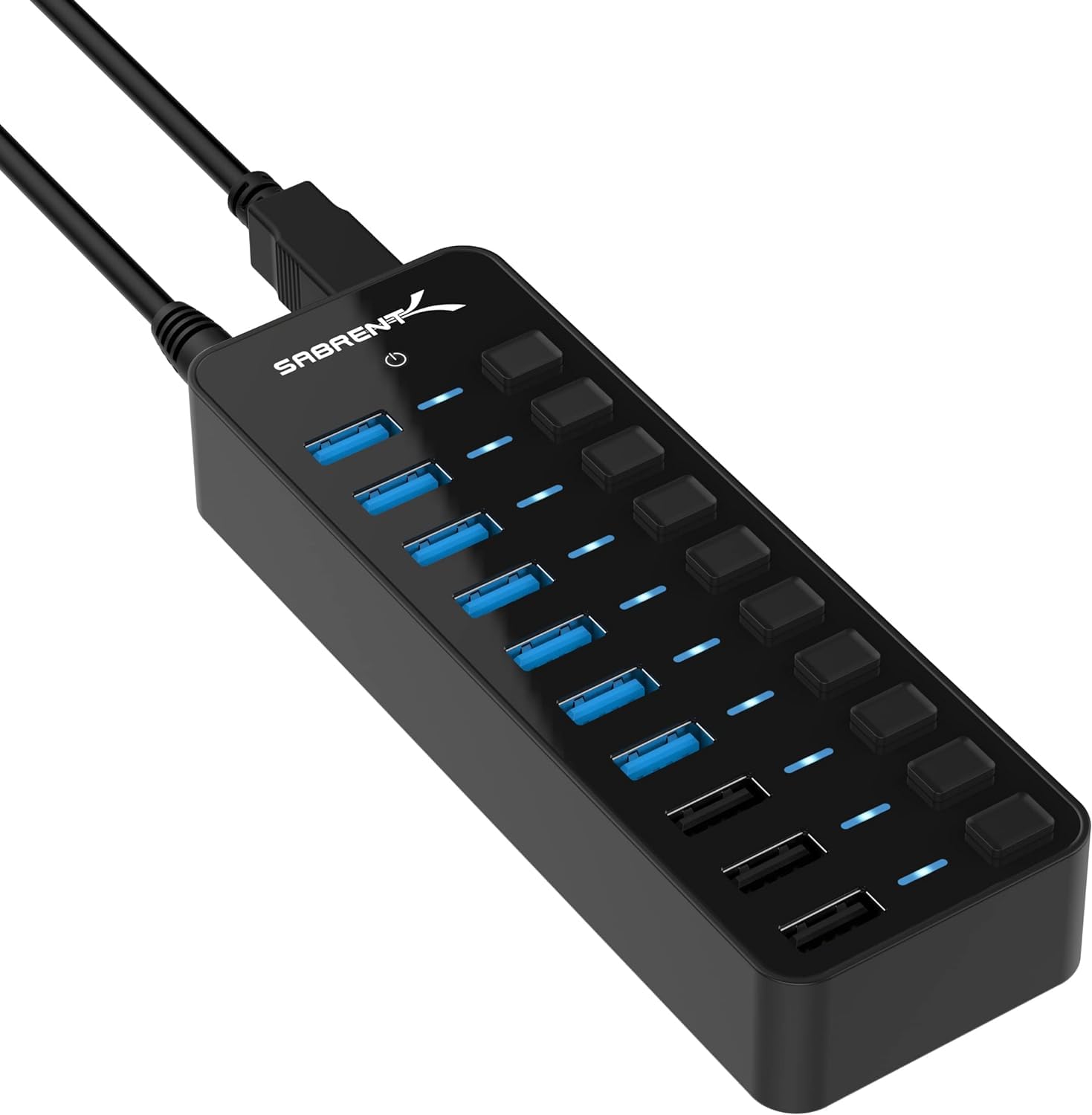
Choose the HB-PU16 when maximizing the number of listed ports is the priority. The HB-B7C3 is a better fit if seven device connections are enough and you want clearly specified dedicated charging ports and an included power adapter.
- The HB-B7C3 supports up to seven USB 3.0 devices at once and has individual switches and LED indicators.
- It also includes three dedicated smart-charging ports rated up to 2.4A per port and a 60W power adapter.
- The HB-PU16 offers 16 USB 3.0 ports, individual power switches, and per-port blue status lights, with transfer speeds up to 5Gbps.
USB Hubs alternative
2,000+ ratings
Read Amazon ReviewsSABRENT HB-MC3B 4-Port USB 3.0 Hub
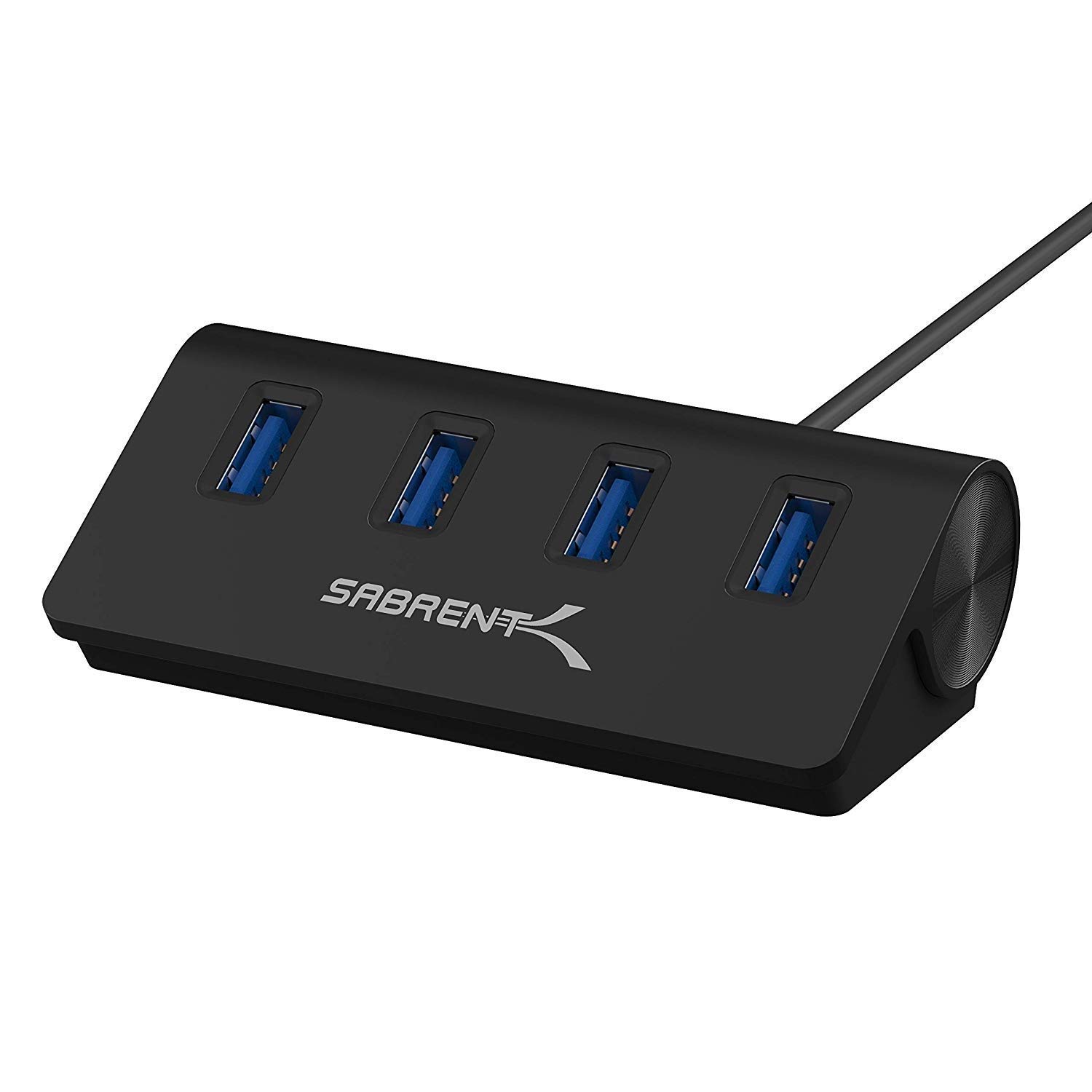
The HB-MC3B is a more compact choice for someone who needs only a few extra ports and values portability.
Keep the HB-PU16 in consideration when a much larger port count and individual port control matter more than a compact setup.
- The HB-MC3B adds four USB 3.0 ports, includes a 2.5-foot USB 3.0 cable, and is described as portable, with backward compatibility for USB 2.0 and USB 1.1.
- The HB-PU16 is a 16-port hub with individual power switches and status LEDs, aimed at setups that need many connections.
Is SABRENT HB-PU16 Worth It?
The SABRENT HB-PU16 is worth considering for a fixed workstation that needs many USB-A connections and benefits from individual switches and visible per-port status.
Its broad compatibility and stated up-to-5Gbps ceiling make it a flexible option for a mixed collection of peripherals.
The key buying check is whether its power arrangement and host connection suit the devices you plan to use; the available specifications do not resolve those details.
If 16 ports match your actual workload and you can confirm the power fit, it is a sensible hub to shortlist.
Your review at a glance
1,000+ ratings
Read Amazon ReviewsSABRENT HB-PU16 16-Port USB 3.0 Hub
A fit for desks that connect many USB-A peripherals and value individual port switches, with compatibility and power needs worth checking first.
- Sixteen downstream USB 3.0 Type-A ports for connecting multiple peripherals.
- Individual power switches let users manage ports one at a time.
- A blue LED indicates power status for each port.
- Data transfer speeds are specified at up to 5Gbps.