The Phomemo M110 Label Printer review is most relevant to small sellers and home users who want to make a range of compact labels from a phone.
Its three included label sizes and app tools offer flexibility, though setup depends on connecting through Print Master rather than the phone’s Bluetooth settings.
Phomemo M110 Review Summary
The quick verdict
1,000+ ratings
Read Amazon ReviewsPhomemo M110 Label Printer
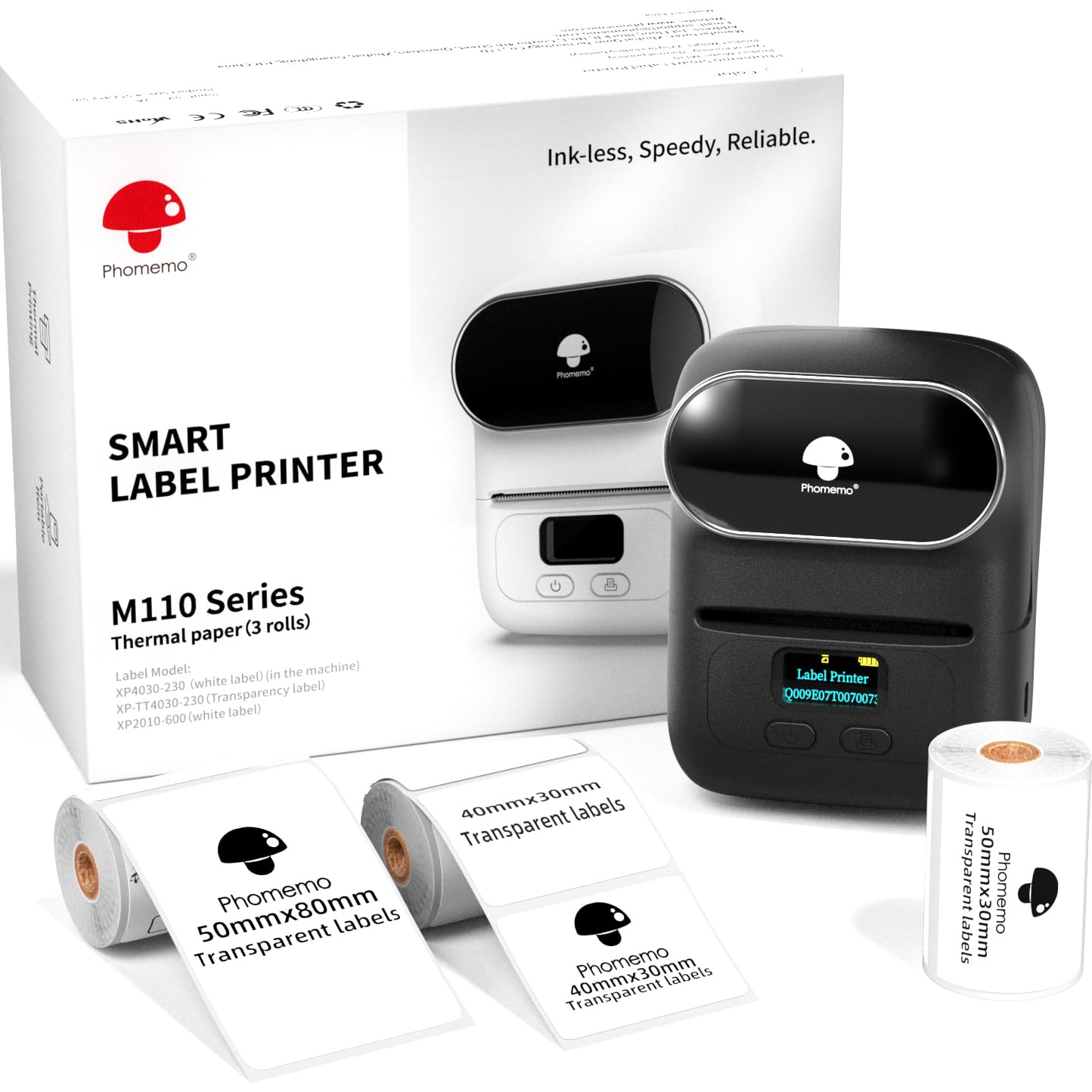
A flexible compact printer for small sellers and home users making barcodes, product, address, or organization labels from a phone.
- Prints on labels from 20 to 50 mm wide and up to 80 mm long.
- The set includes the printer and three label sizes: 40 × 30 mm, 50 × 30 mm, and 50 × 80 mm.
- Works with Print Master on a phone over Bluetooth; the connection is made inside the app.
- The app offers ready-to-use templates, more than 30 fonts, 500+ emojis, and 40+ borders, and supports saving custom templates.

Pros
- Three included label formats make it easier to try different sizes for different tasks.
- A broad mix of label types, including barcodes and QR codes, suits varied small-business needs.
Consider before buying
- The Bluetooth connection must be initiated in Print Master; pairing directly in the phone settings can fail.
- Maximum label dimensions may be too small for buyers who need wide shipping labels or larger signs.
Read the full review summary
The M110 is a portable thermal label printer designed for labels up to 50 mm wide and 80 mm long.
It can handle text, images, QR codes, barcodes, addresses, prices, ingredients, clothing and jewelry labels, making it a useful fit for varied small-business tasks as well as organizing items at home.
The included 40 × 30 mm, 50 × 30 mm, and 50 × 80 mm rolls give buyers a few formats to try.
Its workflow is phone-centered: enable Bluetooth, then connect inside the Print Master app. The app includes templates and lets users save their own designs, with fonts, emojis, and borders for customization.
Batch printing and OCR text recognition add practical tools, but buyers should first check that the app-based connection and label dimensions match their preferred routine.
The buying factors
Phomemo M110 Scorecard
Editorial scores reflect listed features and buyer fit; they are not laboratory measurements or customer ratings.
Label size flexibility
Supports widths from 20–50 mm and lengths up to 80 mm, with three sizes included.
Label design tools
Print Master offers templates, saved designs, fonts, emojis, and borders.
Small-business utility
Barcode, QR code, product, address, ingredient, and price labels cover several common tasks.
Batch workflow
Batch printing is supported, and the stated print speed is 1.2 inches per second.
Setup convenience
The phone must connect through Print Master, which adds a specific step to setup.
Portability
The compact design and stated four hours of continuous working time suit mobile labeling sessions.
Key Features and Specifications of Phomemo M110
- Prints on labels from 20 to 50 mm wide and up to 80 mm long.
- The set includes the printer and three label sizes: 40 × 30 mm, 50 × 30 mm, and 50 × 80 mm.
- Works with Print Master on a phone over Bluetooth; the connection is made inside the app.
- The app offers ready-to-use templates, more than 30 fonts, 500+ emojis, and 40+ borders, and supports saving custom templates.
- Supports text, pictures, QR codes, and barcodes, as well as batch printing.
- OCR can convert text in photos into editable text; the described recognition time is four seconds.
- The stated continuous working time is four hours, and print speed is 1.2 inches per second.
Pros and Cons of Phomemo M110
Pros
- Three included label formats make it easier to try different sizes for different tasks.
- A broad mix of label types, including barcodes and QR codes, suits varied small-business needs.
- Templates and reusable custom designs can simplify repeat labeling.
- OCR and batch printing offer tools for handling text and repeated jobs.
Consider before buying
- The Bluetooth connection must be initiated in Print Master; pairing directly in the phone settings can fail.
- Maximum label dimensions may be too small for buyers who need wide shipping labels or larger signs.
- The listed continuous working time is four hours, a consideration for longer labeling sessions.
Who Should Buy Phomemo M110?
Good fit
Consider the M110 if your work calls for several kinds of compact labels and you want to produce them from a phone.
Its range includes retail and product labels, barcodes, QR codes, addresses, ingredients, clothing, and jewelry, while the three supplied sizes give you room to test which format suits your products or workspace.
It is also a reasonable fit for recurring jobs: the app supports batch printing and saved templates, and OCR can turn text in a photo into editable text.
Before choosing it, check the dimensions of the labels you use and make sure an app-centered Bluetooth workflow suits you.
Who should skip it
Look elsewhere if your routine requires labels wider than 50 mm or longer than 80 mm. Confirm that the M110’s maximum dimensions cover your intended label design before buying.
Skip it if you need a connection flow that pairs directly from your phone’s Bluetooth settings; the M110 is designed to connect through Print Master instead.
How the Phomemo M110 Fits a Compact Labeling Workflow
Three sizes for varied tasks
The included 40 × 30 mm, 50 × 30 mm, and 50 × 80 mm rolls give buyers a practical starting range for compact labeling.
The printer supports widths of 20–50 mm and lengths up to 80 mm, so it can cover small tags and broader compact labels while remaining unsuitable for formats beyond those limits.
App-first connection and design
The M110’s phone workflow has a specific order: turn on Bluetooth and connect from inside Print Master.
This is useful to understand before setup, since trying to pair from the device’s Bluetooth settings can lead to a failed connection.
Within the app, templates, saved designs, and customization options support repeat jobs without rebuilding each label from scratch.
Tools for repeat printing
Batch printing is helpful when a seller needs multiple matching product or price labels, and barcode and QR code support extends the range of label content.
OCR offers another route for turning text in a photo into editable content. These capabilities make the M110 more adaptable than a text-only label tool, while the maximum 80 mm length still sets a clear boundary on format.
Portable use and session planning
The compact design and stated four-hour continuous working time point toward moving the printer between work areas or preparing labels away from a fixed desk.
Print speed is listed as 1.2 inches per second, so buyers with large recurring batches should consider whether that pace and the stated session time fit their workload.
Alternatives to Phomemo M110
Desktop Label Printers alternative
1,000+ ratings
Read Amazon ReviewsPhomemo M120 Label Printer
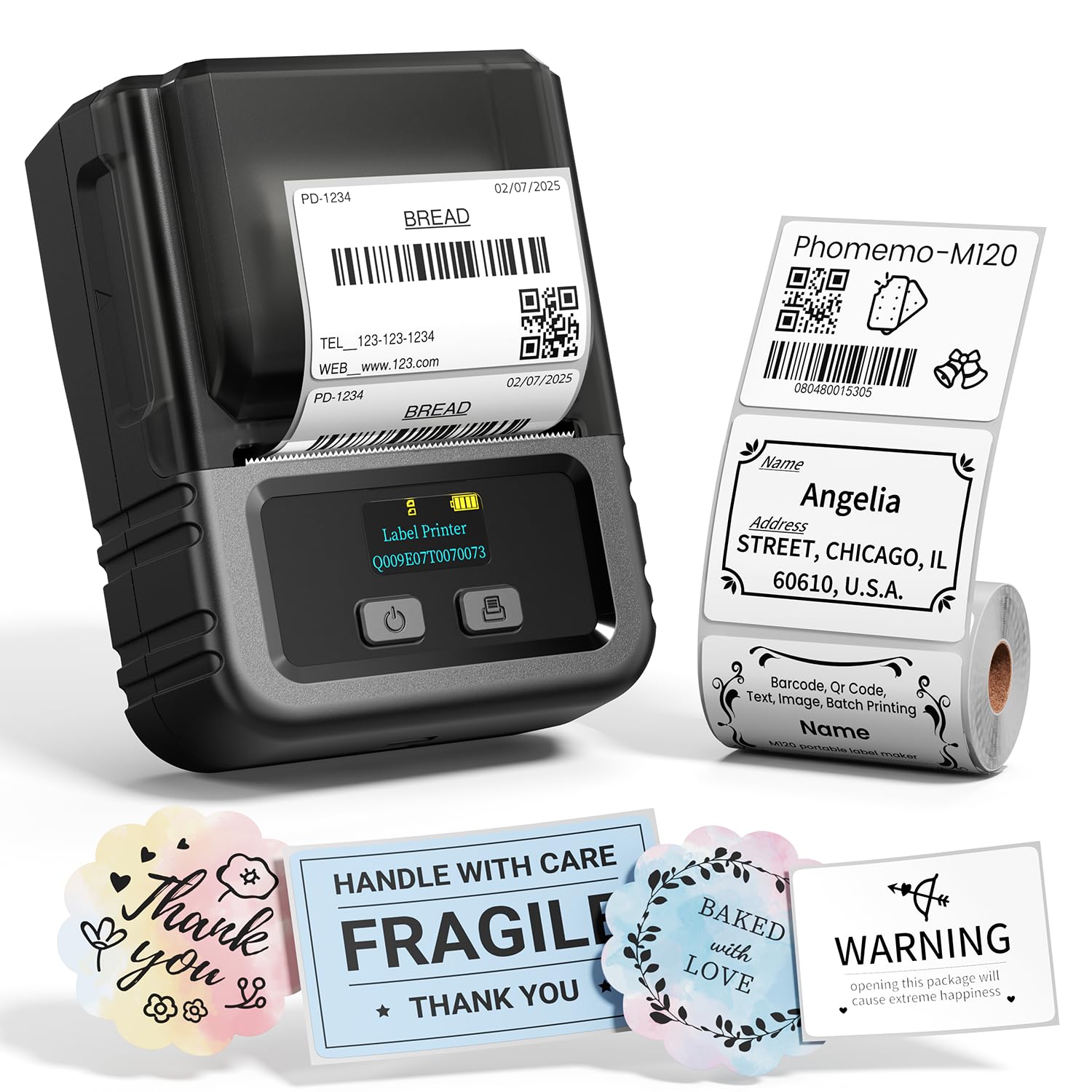
Choose the M110 if the three included label sizes and its stated feature set suit your phone-based workflow. Consider the M120 if computer connectivity is important and you want to print from a wider mix of devices.
- The M120 supports 20–50 mm labels, connects by Bluetooth to iOS and Android, and also offers USB-C computer connections for Windows, Mac, and Chrome OS using Labelife software.
- The M110 supports 20–50 mm label widths and up to 80 mm lengths, with a phone-based Print Master workflow.
Desktop Label Printers alternative
700+ ratings
Read Amazon ReviewsPhomemo M220 Label Maker
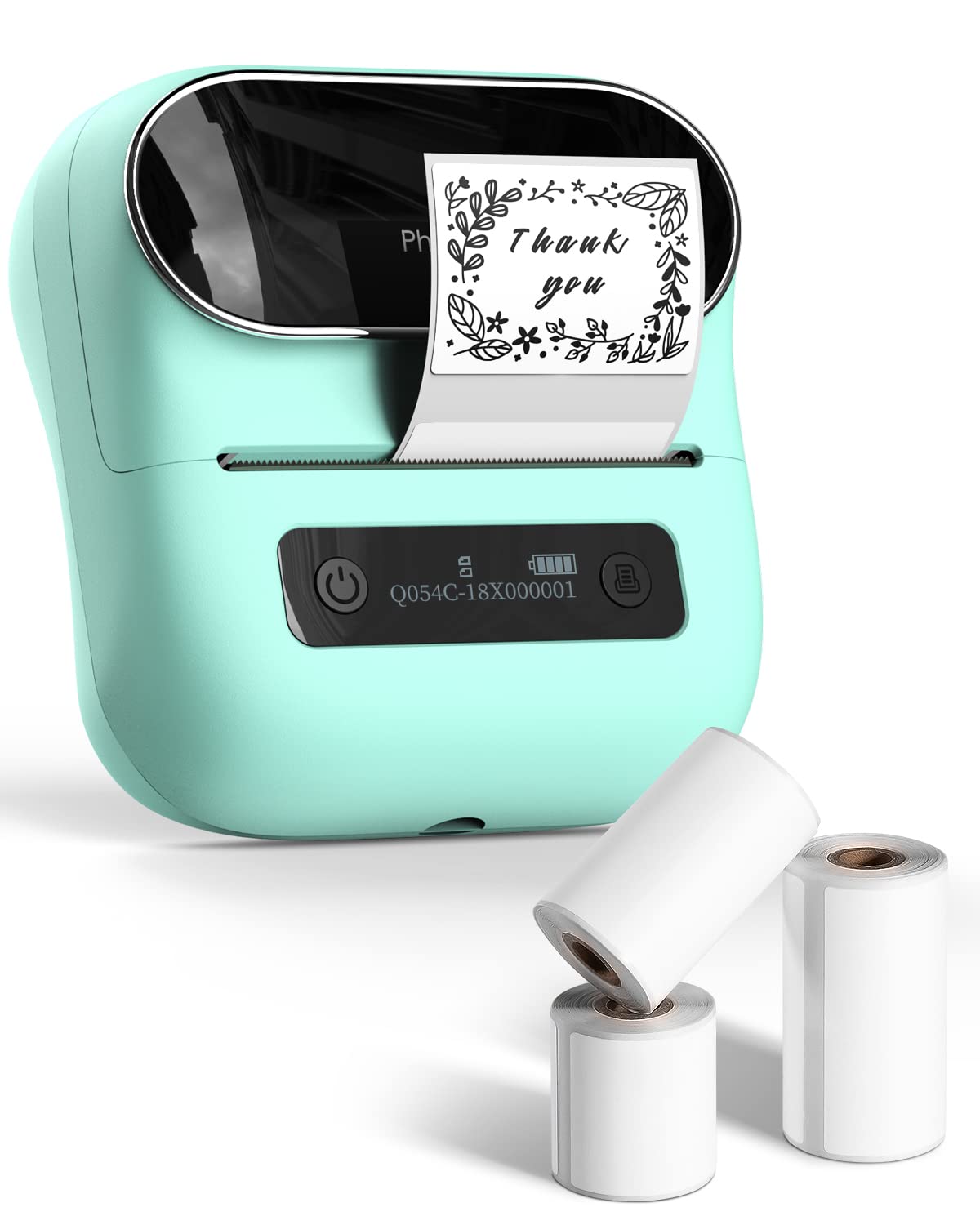
The M110 fits buyers whose labels fall within its more compact dimensions and who prefer its included size assortment. Consider the M220 if wider labels or computer connectivity better match your labeling tasks.
- The M220 supports labels from 0.78 to 3.14 inches wide, Bluetooth connections to phones and tablets, and USB connections to computers running Windows, macOS, or Chrome OS.
- The M110 is built around labels up to 50 mm wide and 80 mm long.
Is Phomemo M110 Worth It?
The Phomemo M110 Label Printer is worth considering for small sellers and home users who need varied compact labels, app-based templates, and tools such as batch printing, barcode creation, and OCR.
Three included sizes help make the format choice more flexible.
Check your label dimensions and be comfortable connecting through Print Master before buying.
Its 50 mm width and 80 mm length limits, as well as the stated four-hour continuous working time, make it a better match for compact labeling jobs than for every print workflow.
Your review at a glance
1,000+ ratings
Read Amazon ReviewsPhomemo M110 Label Printer
A flexible compact printer for small sellers and home users making barcodes, product, address, or organization labels from a phone.
- Prints on labels from 20 to 50 mm wide and up to 80 mm long.
- The set includes the printer and three label sizes: 40 × 30 mm, 50 × 30 mm, and 50 × 80 mm.
- Works with Print Master on a phone over Bluetooth; the connection is made inside the app.
- The app offers ready-to-use templates, more than 30 fonts, 500+ emojis, and 40+ borders, and supports saving custom templates.