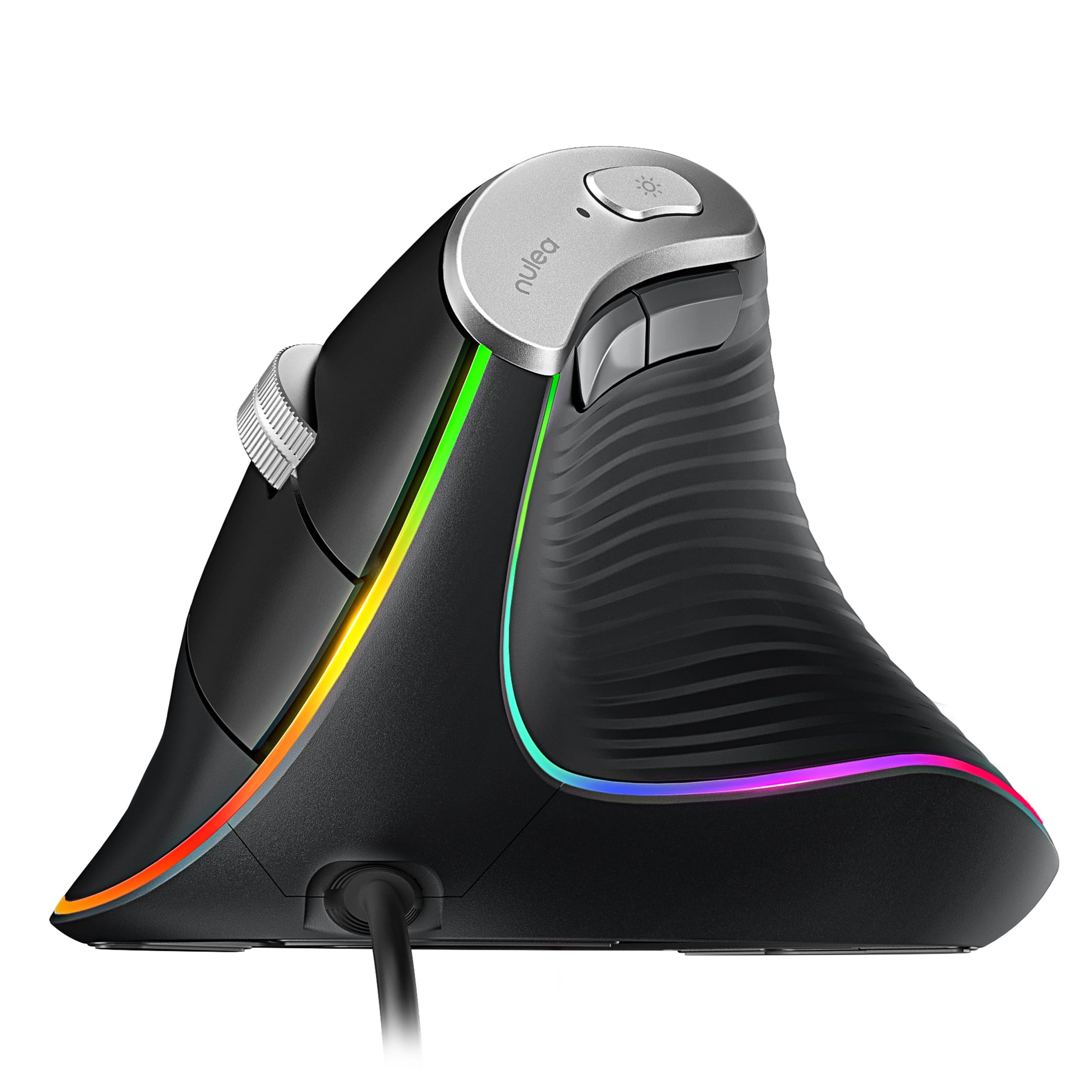
The Nulea M504 is a right-handed wired vertical mouse built around a 57-degree grip, four DPI settings, and simple USB connectivity.
This nulea m504 review looks at its ergonomic shape, everyday controls, and the adjustment period buyers should consider.
Nulea M504 Mouse Review Summary
The quick verdict
1,000+ ratings
Read Amazon ReviewsNulea M504
A right-handed wired vertical mouse for desk users who want adjustable cursor speed, simple USB setup, and customizable RGB lighting.
- Right-handed vertical design with a 57-degree grip angle.
- Four DPI settings: 800, 1200, 2400, and 3200.
- Wired connection with a 1.8-meter cable and USB 2.0 interface.
- Optical movement detection and six buttons.

Pros
- The vertical grip gives right-handed users a different hand position from a standard flat mouse.
- Four DPI options make it possible to choose between slower pointer movement and quicker cursor travel.
Consider before buying
- The vertical shape may take a few days to feel familiar, so it may not suit someone who wants an immediate switch.
- The forward and back buttons do not work with Mac OS.
Read the full review summary
The M504’s defining feature is its vertical shape, designed to let the hand rest at a more angled position than on a conventional mouse.
Its 800, 1200, 2400, and 3200 DPI settings give users a choice of cursor response, while the 1.8-meter cable and plug-and-play USB 2.0 connection keep setup straightforward.
This model makes the most sense for a right-handed user who wants to try a vertical mouse without moving to a wireless setup.
The forward and back buttons, scroll wheel, and lighting add practical and visual details, but the buttons are not programmable, and the forward and back controls do not work with Mac OS.
The unfamiliar grip may also take a few days to get used to.
The buying factors
Nulea M504 Mouse Scorecard
Editorial scores reflect listed features and buyer fit; they are not laboratory measurements or customer ratings.
Ergonomic design
The 57-degree vertical grip is a clear alternative to a conventional mouse position, though comfort depends on individual fit and adjustment.
Cursor adjustment
Four selectable levels from 800 to 3200 DPI cover a useful range for browsing and detailed pointer work.
Setup simplicity
A wired USB 2.0 connection and plug-and-play design keep initial setup uncomplicated.
Everyday controls
Six buttons include forward and back controls, but they are non-programmable and the navigation buttons are not compatible with Mac OS.
Portability
The mouse is described as lightweight and portable, though its fixed 1.8-meter cable must be managed when packing.
Personalization
Eleven RGB lighting modes provide a choice of appearance, while the overall feature set stays focused on basic mouse use.
Key Features and Specifications of Nulea M504 Mouse
- Right-handed vertical design with a 57-degree grip angle.
- Four DPI settings: 800, 1200, 2400, and 3200.
- Wired connection with a 1.8-meter cable and USB 2.0 interface.
- Optical movement detection and six buttons.
- Eleven RGB backlight modes, with adjustable underglow.
- Forward and back buttons for navigation; these do not work with Mac OS, and the buttons are not programmable.
- Matte plastic construction and a metal non-slip scroll wheel.
Pros and Cons of Nulea M504 Mouse
Pros
- The vertical grip gives right-handed users a different hand position from a standard flat mouse.
- Four DPI options make it possible to choose between slower pointer movement and quicker cursor travel.
- Plug-and-play wired USB setup avoids pairing and battery management.
- Forward and back buttons can make browser navigation more direct on supported systems.
- Lighting modes offer some visual customization without requiring programmable controls.
Consider before buying
- The vertical shape may take a few days to feel familiar, so it may not suit someone who wants an immediate switch.
- The forward and back buttons do not work with Mac OS.
- All buttons are non-programmable, limiting customization for users who want assigned shortcuts.
- The 1.8-meter cable offers reach but can be less convenient than a wireless mouse in a travel setup.
Who Should Buy Nulea M504 Mouse?
Good fit
Consider the Nulea M504 if you are right-handed, want to try a vertical mouse, and prefer a wired USB connection.
The 57-degree grip, adjustable DPI, and six-button layout give it a focused set of features for ordinary browsing, office tasks, and pointer work.
It is also a reasonable fit if you want to change cursor responsiveness without relying on software: the four DPI levels can be selected to suit different tasks.
Before buying, check whether your operating system needs the forward and back buttons, and allow time to adapt to the angled grip.
Who should skip it
Skip this model if you need a mouse whose buttons can be remapped, or if you rely on forward and back controls while using Mac OS.
A conventional mouse may be a better choice if you are unwilling to spend several days adjusting to a vertical grip or need a cable-free setup.
Nulea M504 Mouse: What Its Design Means for Daily Use
A distinct grip with an adjustment period
The M504’s 57-degree angle is its central design choice.
It is intended to keep the forearm in a more natural position than a traditional mouse, but that design intention does not guarantee a particular comfort result for every hand.
The product description itself warns that users may need a few days to get used to the shape, so it is best approached as a change in hand position rather than a guaranteed fix for discomfort.
DPI choices for different tasks
The four available settings—800, 1200, 2400, and 3200 DPI—let users adjust how quickly the pointer responds to movement.
Lower settings can be preferable when controlled movement matters, while higher settings can help cover more screen distance with less hand travel.
The useful setting will depend on your screen setup and preference, so having four options is more meaningful than assuming one level will fit every task.
Straightforward connection, with a fixed cable
The M504 connects through USB 2.0 and is designed to work without drivers. Its 1.8-meter cable should offer flexibility for common desk arrangements, while keeping the mouse powered through the wired connection.
That simplicity may suit a primary workstation, but buyers who frequently pack their mouse should consider whether managing a cable fits their routine.
Controls and system compatibility
Six buttons provide a familiar core layout alongside forward and back navigation controls.
Those extra buttons are not programmable, and the forward and back functions are not compatible with Mac OS, so they should not be a deciding feature for Mac users.
The 11 RGB lighting modes and adjustable underglow add appearance choices, while the matte plastic body and metal non-slip scroll wheel keep the design oriented toward everyday use.
Alternatives to Nulea M504 Mouse
Computer Mice alternative
1,000+ ratings
Read Amazon ReviewsJLab GO Charge Wireless Mouse
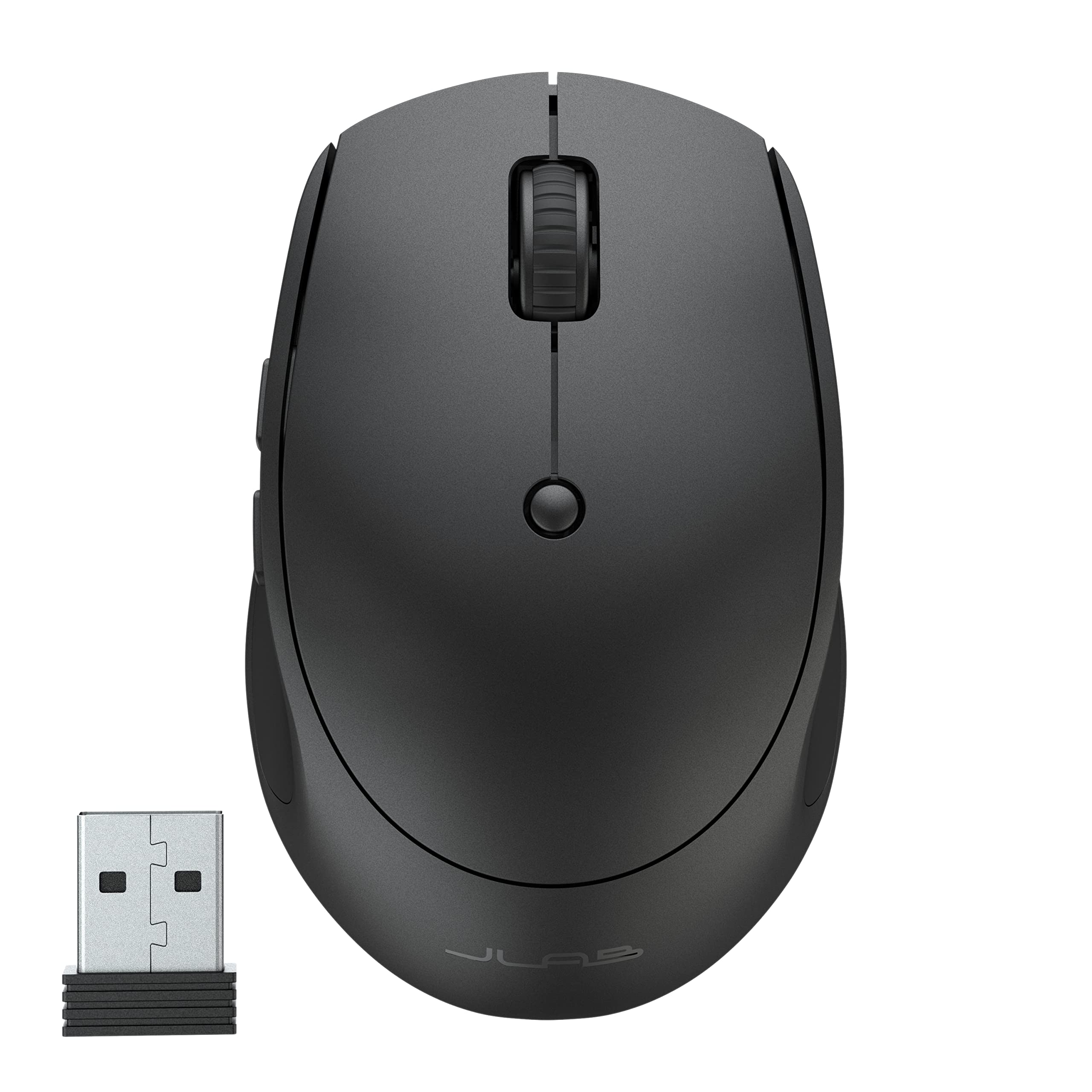
Choose the M504 if a vertical wired design is the priority. The JLab is the more relevant fit if you want wireless use, device switching, or a rechargeable travel mouse.
- The JLab GO Charge offers Bluetooth 5 and USB wireless dongle connectivity, can pair with up to three devices, and has adjustable DPI tracking and rechargeable power.
- The Nulea M504 uses a right-handed vertical grip, wired USB connection, and four DPI settings.
Computer Mice alternative
2,000+ ratings
Read Amazon ReviewsSABRENT Mini Travel Wireless Mouse
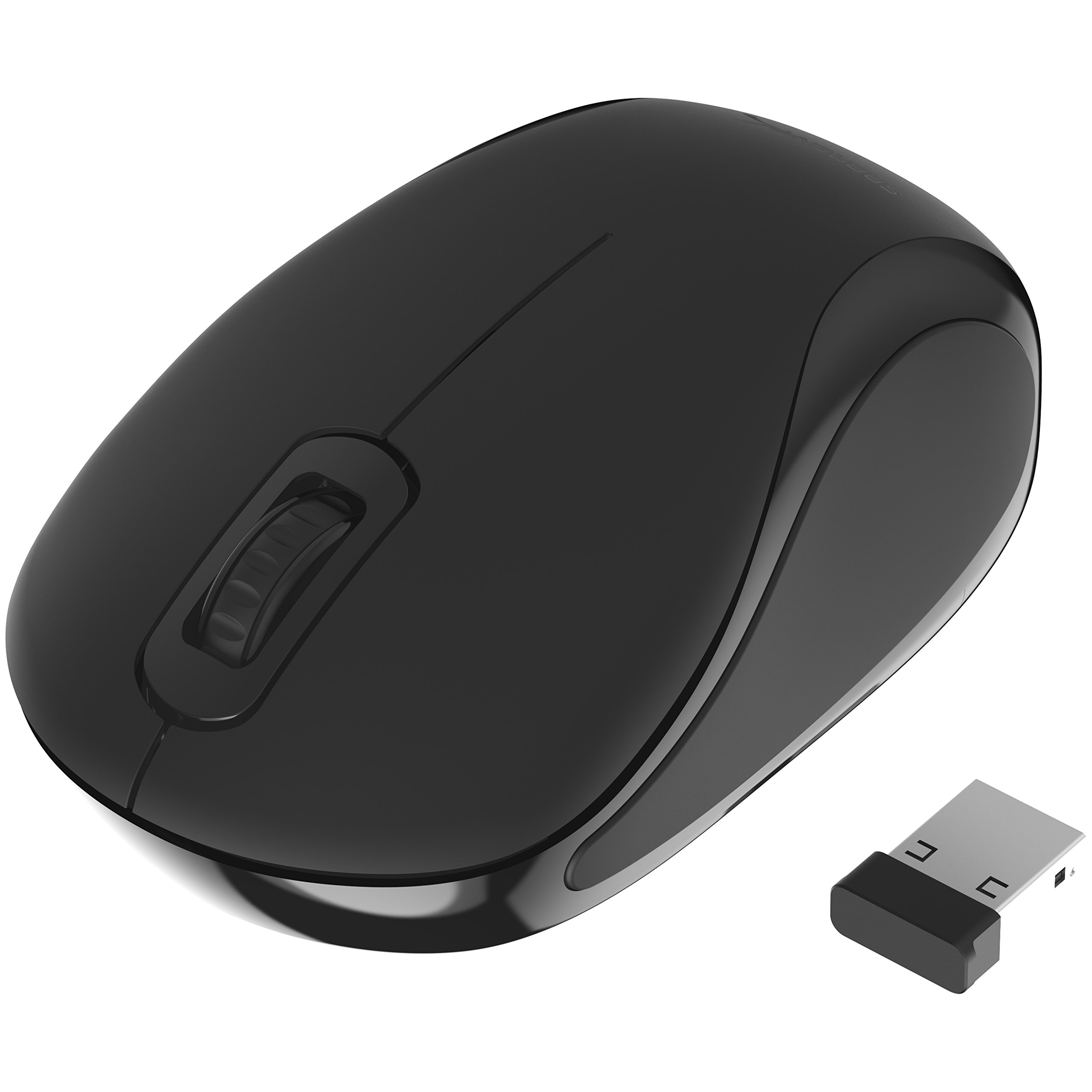
The M504 suits buyers seeking a vertical grip and adjustable cursor response. The SABRENT is a better match for simple, compact travel use where an ambidextrous shape and wireless connection matter more.
- The SABRENT is a compact, ambidextrous wireless mouse with a 1200 DPI optical sensor, three buttons, and a nano receiver.
- The Nulea M504 is a right-handed vertical mouse with a 1.8-meter cable, six buttons, and four DPI choices.
Is Nulea M504 Mouse Worth It?
The Nulea M504 is worth considering if you want to try a right-handed vertical mouse with straightforward wired setup, selectable DPI, and basic navigation controls.
Its strongest reason to buy is the angled grip; give yourself time to adapt and make sure its button limitations fit your operating system and routine.
Choose another design if you need programmable buttons, wireless convenience, or Mac-compatible forward and back controls. For the right buyer, the M504 offers a focused way to explore a vertical mouse without complicating setup.
Your review at a glance
1,000+ ratings
Read Amazon ReviewsNulea M504
A right-handed wired vertical mouse for desk users who want adjustable cursor speed, simple USB setup, and customizable RGB lighting.
- Right-handed vertical design with a 57-degree grip angle.
- Four DPI settings: 800, 1200, 2400, and 3200.
- Wired connection with a 1.8-meter cable and USB 2.0 interface.
- Optical movement detection and six buttons.